Microsoft Entra ID Impossible Travel Sign-in
Detects successful Microsoft Entra ID interactive sign-ins for the same user from two geographically separated locations within a 90-minute window, where the implied travel speed between the two points exceeds what is physically possible (>=800 km/h, faster than modern commercial airliners) and the geographic separation is at least 500 km. This pattern indicates either VPN/proxy use or an adversary signing in to a compromised account from a different location than the legitimate user. Non-interactive sign-in categories are excluded because backend token refresh activity routinely egresses through cloud regions unrelated to the user. This activity is often observed from AiTM phishing kits or successful phishing campaigns.
Elastic rule (View on GitHub)
  1[metadata]
  2creation_date = "2026/05/15"
  3integration = ["azure"]
  4maturity = "production"
  5min_stack_version = "9.4.0"
  6min_stack_comments = "ES|QL FIRST and LAST aggregation functions are GA in 9.4."
  7updated_date = "2026/09/18"
  8
  9[rule]
 10author = ["Elastic"]
 11description = """
 12Detects successful Microsoft Entra ID interactive sign-ins for the same user from two geographically separated locations
 13within a 90-minute window, where the implied travel speed between the two points exceeds what is physically possible
 14(>=800 km/h, faster than modern commercial airliners) and the geographic separation is at least 500 km. This pattern
 15indicates either VPN/proxy use or an adversary signing in to a compromised account from a different location than the
 16legitimate user. Non-interactive sign-in categories are excluded because backend token refresh activity routinely
 17egresses through cloud regions unrelated to the user. This activity is often observed from AiTM phishing kits or
 18successful phishing campaigns.
 19"""
 20false_positives = [
 21    """
 22    Users on VPN or proxy egress that geo-resolves through a region distant from the user's physical location. Mobile
 23    clients on cellular carrier networks that peer through regional hubs may geo-resolve to a different region than the
 24    user's physical location. Corporate AWS Workspaces / VDI deployments where employees interactively sign in from a
 25    cloud-provider ASN.
 26    """,
 27]
 28from = "now-90m"
 29interval = "30m"
 30language = "esql"
 31license = "Elastic License v2"
 32name = "Microsoft Entra ID Impossible Travel Sign-in"
 33note = """## Triage and analysis
 34
 35### Investigating Microsoft Entra ID Impossible Travel Sign-in
 36
 37Microsoft Entra ID is accessible globally; legitimate users authenticate from one location at a time. Two successful interactive sign-ins for the same user separated by a distance and time delta implying travel faster than a commercial airliner cannot be the same human physically moving, and indicate either a VPN/proxy egress mismatch or a compromised account being accessed from a separate location by an adversary.
 38
 39This rule scopes to `SignInLogs` (interactive sign-ins) only; non-interactive token refresh activity is excluded because backend service calls routinely egress through cloud regions unrelated to the user.
 40
 41### Possible investigation steps
 42
 43- Identify the user (`azure.signinlogs.properties.user_principal_name`) and the geographic separation observed: `Esql.distance_km`, `Esql.travel_kmh`, `Esql.window_minutes` (bbox path over region centroids), and the set of distinct countries, regions, and cities (`Esql.source_geo_country_name_values`, `Esql.source_geo_region_name_values`, `Esql.source_geo_city_name_values`).
 44- Cross-check `Esql.honest_distance_km`, `Esql.honest_travel_kmh`, `Esql.honest_window_minutes` -- these measure the real great-circle distance between the user's actual first and last sign-in events with timestamps locked to those same events. When the honest distance is small but the bbox distance is large, the user appeared in an outlier region in the middle of the window (A->B->A pattern -- typical AiTM kit replay). When both agree, it's a clean two-region case.
 45- Pull all `azure.signinlogs` events with `azure.signinlogs.category: SignInLogs` for the user across the alert window. Sort by `@timestamp` and inspect each `source.ip`, `source.as.organization.name`, `source.geo.country_name`, `user_agent.original`, `azure.signinlogs.properties.device_detail.browser`, and `azure.signinlogs.properties.device_detail.operating_system`.
 46- Determine which sign-ins are consistent with the user's baseline (corporate VPN egress, home ISP, mobile carrier) and which are not. Pay close attention to UA / browser / OS divergence between the two geographic clusters — adversary sessions almost always show a distinct fingerprint from the legitimate user's.
 47- For each non-baseline sign-in: check the ASN. Hosting-provider ASNs (Clouvider, Host Telecom, Alibaba, cheap-VPS providers, and AWS/Azure/GCP rented compute) for interactive sign-ins are high-fidelity suspicious because legitimate end users do not typically egress through those networks.
 48- Inspect `Esql.app_id_values`, `Esql.app_display_name_values`, `Esql.resource_id_values`, and `Esql.resource_display_name_values` for the apps and resources touched from each geo. Microsoft Graph, Azure PowerShell, or Azure Resource Manager access from a non-baseline geo immediately after a baseline sign-in is the post-auth recon signature.
 49- Cross-reference Entra audit logs (`logs-azure.auditlogs-*`) for `add service principal`, `consent to application`, OAuth consent grants, MFA method registration, or recovery email/phone changes for the same user near the same window. Adversaries routinely add persistence immediately after authentication.
 50- Confirm with the user whether the sign-ins are theirs (VPN, travel) or unexpected.
 51
 52### False positive analysis
 53
 54- Users on VPN or proxy infrastructure egressing through a distant region: validate against the user's known VPN ranges and consider excluding by ASN at the rule-exception layer (not in the base query).
 55- Mobile carriers that geo-resolve outside the user's home country (cellular providers often peer through regional hubs): validate by user-agent (mobile UA fingerprint) and source ASN (carrier networks).
 56- AWS Workspaces / VDI / corporate-cloud deployments where employees interactively sign in from a cloud ASN: validate the AS organization name and the tenant's cloud footprint, then except the specific ASN per-tenant rather than blanket-excluding cloud ASNs (which would also suppress adversary sign-ins from rented compute).
 57
 58### Response and remediation
 59
 60- If the pattern is unexpected, immediately revoke all refresh tokens for the user (`Revoke-AzureADUserAllRefreshToken` or `Revoke-MgUserSignInSession`) and force re-authentication, then reset the password and clear any recovery methods.
 61- Investigate any OAuth consent grants minted to the user around the same window — these survive password resets if not explicitly revoked.
 62- Review Entra audit logs for any newly registered authentication methods (FIDO key, authenticator app, phone number) added near the same window: these are adversary persistence vectors.
 63- Review device registration events (`Add registered owner to device`, `Add registered users to device`) — adversary device joins establish persistence that survives password rotation if the underlying refresh tokens were not revoked.
 64- Cross-check Azure activity logs (`logs-azure.activitylogs-*`) for any resource changes by the user from a non-baseline `source.ip` in the same window.
 65"""
 66references = ["https://any.run/malware-trends/tycoon/"]
 67risk_score = 73
 68rule_id = "bc9f5144-0ead-476e-ba6e-cef295601195"
 69severity = "high"
 70tags = [
 71    "Domain: Cloud",
 72    "Domain: Identity",
 73    "Data Source: Azure",
 74    "Data Source: Microsoft Entra ID",
 75    "Data Source: Microsoft Entra ID Sign-In Logs",
 76    "Use Case: Threat Detection",
 77    "Use Case: Identity and Access Audit",
 78    "Tactic: Initial Access",
 79    "Tactic: Credential Access",
 80    "Resources: Investigation Guide",
 81    "Noise: Medium",
 82    "Performance: Normal",
 83    "Profile: Recommended",
 84    "Threat: Impossible Travel",
 85    "Rule Type: ES|QL",
 86    "Platform: Entra ID",
 87]
 88timestamp_override = "event.ingested"
 89type = "esql"
 90
 91query = '''
 92// successful interactive sign-ins with country + region populated.
 93from logs-azure.signinlogs-*
 94| where data_stream.dataset == "azure.signinlogs"
 95    and event.outcome == "success"
 96    and azure.signinlogs.category == "SignInLogs"
 97    and azure.signinlogs.properties.user_principal_name is not null
 98    and source.geo.location is not null
 99    and source.geo.region_name is not null
100
101| eval Esql.source_geo_lat = st_y(source.geo.location),
102       Esql.source_geo_lon = st_x(source.geo.location)
103
104// collapse each (user, country, region) into one centroid + the actual lat/lon
105// of the first and last event in that region. FIRST/LAST lock coords to the
106// timestamp ordering so we can later build the honest event pair.
107| stats
108    Esql.region_centroid_lat = avg(Esql.source_geo_lat),
109    Esql.region_centroid_lon = avg(Esql.source_geo_lon),
110    Esql.region_first_lat    = first(Esql.source_geo_lat, @timestamp),
111    Esql.region_first_lon    = first(Esql.source_geo_lon, @timestamp),
112    Esql.region_last_lat     = last(Esql.source_geo_lat,  @timestamp),
113    Esql.region_last_lon     = last(Esql.source_geo_lon,  @timestamp),
114    Esql.region_first_seen   = min(@timestamp),
115    Esql.region_last_seen    = max(@timestamp),
116    Esql.region_event_count  = count(*),
117    Esql.region_city_values   = values(source.geo.city_name),
118    Esql.region_asn_values    = values(source.`as`.organization.name),
119    Esql.region_ip_values     = values(source.ip),
120    Esql.region_ua_values     = values(user_agent.original),
121    Esql.region_app_id_values = values(azure.signinlogs.properties.app_id),
122    Esql.region_app_display_name_values = values(azure.signinlogs.properties.app_display_name),
123    Esql.region_client_app_used_values  = values(azure.signinlogs.properties.client_app_used),
124    Esql.region_resource_id_values      = values(azure.signinlogs.properties.resource_id),
125    Esql.region_resource_display_name_values = values(azure.signinlogs.properties.resource_display_name),
126    Esql.region_browser_values = values(azure.signinlogs.properties.device_detail.browser),
127    Esql.region_os_values      = values(azure.signinlogs.properties.device_detail.operating_system)
128  by azure.signinlogs.properties.user_principal_name,
129     source.geo.country_name,
130     source.geo.region_name
131
132// roll up to the user. two parallel measurements:
133// bbox: corners over region centroids. catches A->B->A because B is still
134// a centroid in the set even when first/last events are in A.
135| stats
136    Esql.min_lat = min(Esql.region_centroid_lat),
137    Esql.max_lat = max(Esql.region_centroid_lat),
138    Esql.min_lon = min(Esql.region_centroid_lon),
139    Esql.max_lon = max(Esql.region_centroid_lon),
140    Esql.honest_first_lat = first(Esql.region_first_lat, Esql.region_first_seen),
141    Esql.honest_first_lon = first(Esql.region_first_lon, Esql.region_first_seen),
142    Esql.honest_last_lat  = last(Esql.region_last_lat,   Esql.region_last_seen),
143    Esql.honest_last_lon  = last(Esql.region_last_lon,   Esql.region_last_seen),
144    Esql.timestamp_first_seen = min(Esql.region_first_seen),
145    Esql.timestamp_last_seen  = max(Esql.region_first_seen), // first arrival in last region > tighter bbox window
146    Esql.honest_last_time     = max(Esql.region_last_seen),  // user's actual last event > honest window
147    Esql.region_count  = count_distinct(source.geo.region_name),
148    Esql.country_count = count_distinct(source.geo.country_name),
149    Esql.event_count   = sum(Esql.region_event_count),
150    Esql.source_geo_country_name_values     = values(source.geo.country_name),
151    Esql.source_geo_region_name_values      = values(source.geo.region_name),
152    Esql.source_geo_city_name_values        = values(Esql.region_city_values),
153    Esql.source_as_organization_name_values = values(Esql.region_asn_values),
154    Esql.source_ip_values                   = values(Esql.region_ip_values),
155    Esql.user_agent_original_values         = values(Esql.region_ua_values),
156    Esql.app_id_values                      = values(Esql.region_app_id_values),
157    Esql.app_display_name_values            = values(Esql.region_app_display_name_values),
158    Esql.client_app_used_values             = values(Esql.region_client_app_used_values),
159    Esql.resource_id_values                 = values(Esql.region_resource_id_values),
160    Esql.resource_display_name_values       = values(Esql.region_resource_display_name_values),
161    Esql.device_detail_browser_values       = values(Esql.region_browser_values),
162    Esql.device_detail_operating_system_values = values(Esql.region_os_values)
163  by azure.signinlogs.properties.user_principal_name
164
165// need at least 2 regions to have anything to compare. cap at 5 because regions
166// are finer-grained than countries (a traveling employee can hit 3-4 in 90m via
167// carrier hub bouncing) > bbox drift stays bounded below this.
168| where Esql.region_count >= 2 and Esql.region_count <= 5
169
170// bbox path (primary trigger): corners over region centroids.
171| eval Esql.p1 = to_geopoint(concat("POINT(", to_string(Esql.min_lon), " ", to_string(Esql.min_lat), ")")),
172       Esql.p2 = to_geopoint(concat("POINT(", to_string(Esql.max_lon), " ", to_string(Esql.max_lat), ")"))
173| eval Esql.distance_km    = round(st_distance(Esql.p1, Esql.p2) / 1000.0, 0),
174       Esql.window_minutes = date_diff("minute", Esql.timestamp_first_seen, Esql.timestamp_last_seen),
175       Esql.travel_kmh     = case(Esql.window_minutes > 0,
176                                  round(Esql.distance_km * 60.0 / Esql.window_minutes, 0), null)
177
178// honest pair (triage signal): real coords at the user's actual first and last
179// events, time locked to those same two events
180| eval Esql.honest_p1 = to_geopoint(concat("POINT(", to_string(Esql.honest_first_lon), " ", to_string(Esql.honest_first_lat), ")")),
181       Esql.honest_p2 = to_geopoint(concat("POINT(", to_string(Esql.honest_last_lon),  " ", to_string(Esql.honest_last_lat),  ")"))
182| eval Esql.honest_distance_km     = round(st_distance(Esql.honest_p1, Esql.honest_p2) / 1000.0, 0),
183       Esql.honest_window_minutes  = date_diff("minute", Esql.timestamp_first_seen, Esql.honest_last_time),
184       Esql.honest_travel_kmh      = case(Esql.honest_window_minutes > 0,
185                                          round(Esql.honest_distance_km * 60.0 / Esql.honest_window_minutes, 0), null)
186
187// 500 km separation + faster than a commercial airliner. bbox is the trigger
188// purely as triage signal.
189| where Esql.distance_km >= 500 and Esql.travel_kmh >= 800
190
191| keep azure.signinlogs.properties.user_principal_name,
192    Esql.source_geo_country_name_values,
193    Esql.source_geo_region_name_values,
194    Esql.source_geo_city_name_values,
195    Esql.source_as_organization_name_values,
196    Esql.source_ip_values,
197    Esql.user_agent_original_values,
198    Esql.app_id_values,
199    Esql.app_display_name_values,
200    Esql.client_app_used_values,
201    Esql.resource_id_values,
202    Esql.resource_display_name_values,
203    Esql.device_detail_browser_values,
204    Esql.device_detail_operating_system_values,
205    Esql.country_count,
206    Esql.region_count,
207    Esql.event_count,
208    Esql.timestamp_first_seen,
209    Esql.timestamp_last_seen,
210    Esql.window_minutes,
211    Esql.distance_km,
212    Esql.travel_kmh,
213    Esql.honest_distance_km,
214    Esql.honest_travel_kmh,
215    Esql.honest_window_minutes
216'''
217
218[rule.alert_suppression]
219group_by = ["azure.signinlogs.properties.user_principal_name"]
220duration = {value = 30, unit = "m"}
221missing_fields_strategy = "suppress"
222
223[[rule.threat]]
224framework = "MITRE ATT&CK"
225[[rule.threat.technique]]
226id = "T1078"
227name = "Valid Accounts"
228reference = "https://attack.mitre.org/techniques/T1078/"
229[[rule.threat.technique.subtechnique]]
230id = "T1078.004"
231name = "Cloud Accounts"
232reference = "https://attack.mitre.org/techniques/T1078/004/"
233
234
235
236[rule.threat.tactic]
237id = "TA0001"
238name = "Initial Access"
239reference = "https://attack.mitre.org/tactics/TA0001/"
240[[rule.threat]]
241framework = "MITRE ATT&CK"
242[[rule.threat.technique]]
243id = "T1528"
244name = "Steal Application Access Token"
245reference = "https://attack.mitre.org/techniques/T1528/"
246
247[[rule.threat.technique]]
248id = "T1557"
249name = "Adversary-in-the-Middle"
250reference = "https://attack.mitre.org/techniques/T1557/"
251
252
253[rule.threat.tactic]
254id = "TA0006"
255name = "Credential Access"
256reference = "https://attack.mitre.org/tactics/TA0006/"
257
258[rule.investigation_fields]
259field_names = ["azure.signinlogs.properties.user_principal_name"]
Triage and analysis
Investigating Microsoft Entra ID Impossible Travel Sign-in
Microsoft Entra ID is accessible globally; legitimate users authenticate from one location at a time. Two successful interactive sign-ins for the same user separated by a distance and time delta implying travel faster than a commercial airliner cannot be the same human physically moving, and indicate either a VPN/proxy egress mismatch or a compromised account being accessed from a separate location by an adversary.
This rule scopes to SignInLogs (interactive sign-ins) only; non-interactive token refresh activity is excluded because backend service calls routinely egress through cloud regions unrelated to the user.
Possible investigation steps
- Identify the user (
azure.signinlogs.properties.user_principal_name) and the geographic separation observed:Esql.distance_km,Esql.travel_kmh,Esql.window_minutes(bbox path over region centroids), and the set of distinct countries, regions, and cities (Esql.source_geo_country_name_values,Esql.source_geo_region_name_values,Esql.source_geo_city_name_values). - Cross-check
Esql.honest_distance_km,Esql.honest_travel_kmh,Esql.honest_window_minutes-- these measure the real great-circle distance between the user's actual first and last sign-in events with timestamps locked to those same events. When the honest distance is small but the bbox distance is large, the user appeared in an outlier region in the middle of the window (A->B->A pattern -- typical AiTM kit replay). When both agree, it's a clean two-region case. - Pull all
azure.signinlogsevents withazure.signinlogs.category: SignInLogsfor the user across the alert window. Sort by@timestampand inspect eachsource.ip,source.as.organization.name,source.geo.country_name,user_agent.original,azure.signinlogs.properties.device_detail.browser, andazure.signinlogs.properties.device_detail.operating_system. - Determine which sign-ins are consistent with the user's baseline (corporate VPN egress, home ISP, mobile carrier) and which are not. Pay close attention to UA / browser / OS divergence between the two geographic clusters — adversary sessions almost always show a distinct fingerprint from the legitimate user's.
- For each non-baseline sign-in: check the ASN. Hosting-provider ASNs (Clouvider, Host Telecom, Alibaba, cheap-VPS providers, and AWS/Azure/GCP rented compute) for interactive sign-ins are high-fidelity suspicious because legitimate end users do not typically egress through those networks.
- Inspect
Esql.app_id_values,Esql.app_display_name_values,Esql.resource_id_values, andEsql.resource_display_name_valuesfor the apps and resources touched from each geo. Microsoft Graph, Azure PowerShell, or Azure Resource Manager access from a non-baseline geo immediately after a baseline sign-in is the post-auth recon signature. - Cross-reference Entra audit logs (
logs-azure.auditlogs-*) foradd service principal,consent to application, OAuth consent grants, MFA method registration, or recovery email/phone changes for the same user near the same window. Adversaries routinely add persistence immediately after authentication. - Confirm with the user whether the sign-ins are theirs (VPN, travel) or unexpected.
False positive analysis
- Users on VPN or proxy infrastructure egressing through a distant region: validate against the user's known VPN ranges and consider excluding by ASN at the rule-exception layer (not in the base query).
- Mobile carriers that geo-resolve outside the user's home country (cellular providers often peer through regional hubs): validate by user-agent (mobile UA fingerprint) and source ASN (carrier networks).
- AWS Workspaces / VDI / corporate-cloud deployments where employees interactively sign in from a cloud ASN: validate the AS organization name and the tenant's cloud footprint, then except the specific ASN per-tenant rather than blanket-excluding cloud ASNs (which would also suppress adversary sign-ins from rented compute).
Response and remediation
- If the pattern is unexpected, immediately revoke all refresh tokens for the user (
Revoke-AzureADUserAllRefreshTokenorRevoke-MgUserSignInSession) and force re-authentication, then reset the password and clear any recovery methods. - Investigate any OAuth consent grants minted to the user around the same window — these survive password resets if not explicitly revoked.
- Review Entra audit logs for any newly registered authentication methods (FIDO key, authenticator app, phone number) added near the same window: these are adversary persistence vectors.
- Review device registration events (
Add registered owner to device,Add registered users to device) — adversary device joins establish persistence that survives password rotation if the underlying refresh tokens were not revoked. - Cross-check Azure activity logs (
logs-azure.activitylogs-*) for any resource changes by the user from a non-baselinesource.ipin the same window.
References
-
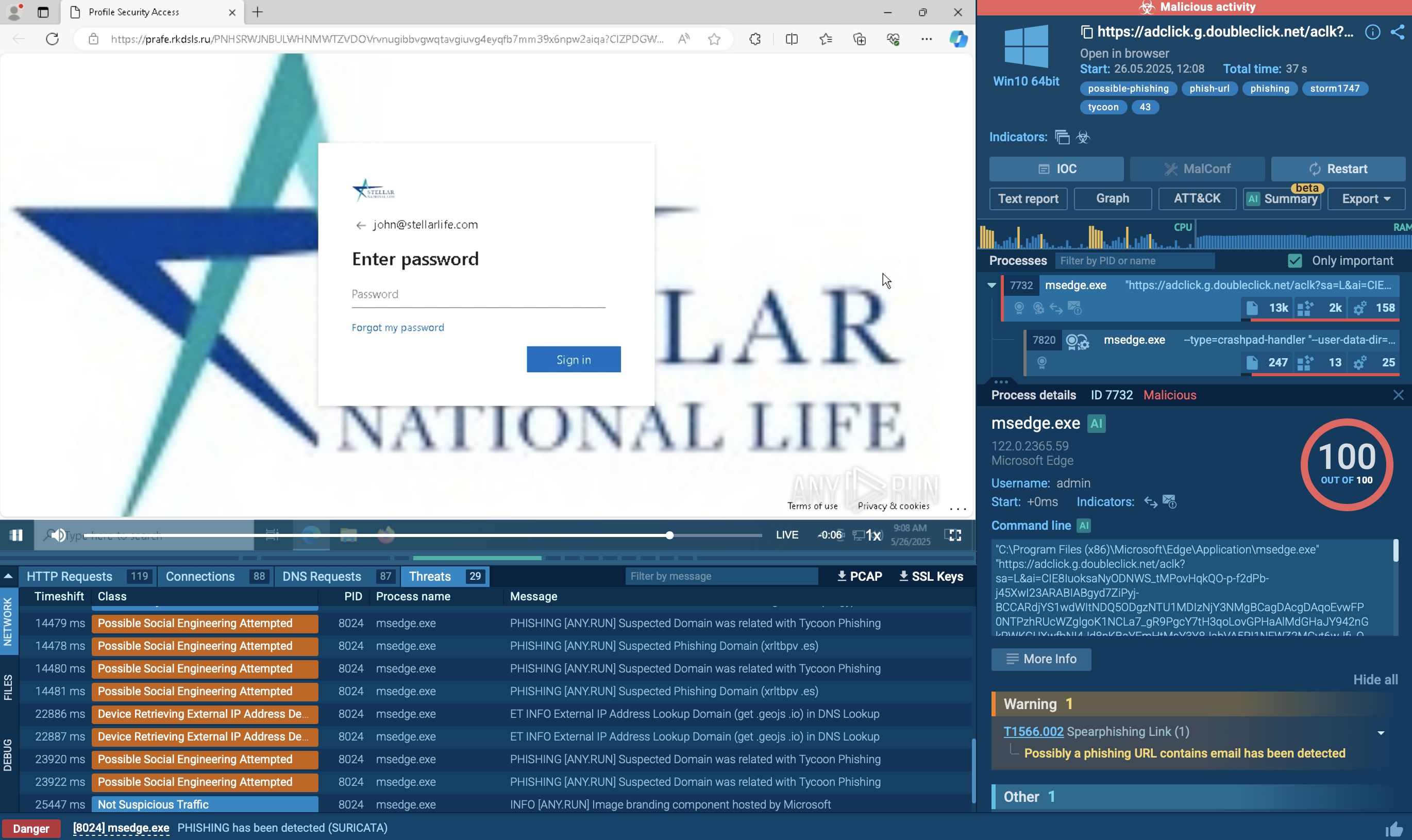
Tycoon 2FA is a phishing-as-a-service kit used for stealing credentials and equipped with advanced evasion capabilities.
Read More
Related rules
- Entra ID Kali365 Default User-Agent Detected
- Entra ID AiTM Phishing-Kit Chain Detected
- Entra ID Illicit Consent Grant via Registered Application
- Entra ID Microsoft Authentication Broker Sign-In with Non-Standard User Agent
- Entra ID Multiple Device Registrations by a Single User