Entra ID OAuth Device Code Phishing via AiTM
Detects successful Microsoft Entra ID sign-ins that use the OAuth device code authentication protocol with the Microsoft Authentication Broker client requesting first-party Office API resources (Exchange Online, Microsoft Graph, or SharePoint) while flagged as interactive. This pattern is associated with adversary-in-the-middle (AiTM) phishing kits such as Tycoon 2FA, where victims complete device code flows that ultimately broker tokens for mail and collaboration APIs.
Elastic rule (View on GitHub)
  1[metadata]
  2creation_date = "2026/05/15"
  3integration = ["azure"]
  4maturity = "production"
  5updated_date = "2026/09/18"
  6
  7[rule]
  8author = ["Elastic"]
  9description = """
 10Detects successful Microsoft Entra ID sign-ins that use the OAuth device code authentication protocol with the
 11Microsoft Authentication Broker client requesting first-party Office API resources (Exchange Online, Microsoft Graph,
 12or SharePoint) while flagged as interactive. This pattern is associated with adversary-in-the-middle (AiTM) phishing kits
 13such as Tycoon 2FA, where victims complete device code flows that ultimately broker tokens for mail and collaboration
 14APIs.
 15"""
 16false_positives = [
 17    """
 18    Rare legitimate interactive device code flows that use the Microsoft Authentication Broker against Exchange, Graph,
 19    or Yammer may match, for example during troubleshooting or specialized kiosk setups. Document approved scenarios and
 20    exclude known principals or networks.
 21    """,
 22]
 23from = "now-9m"
 24index = ["logs-azure.signinlogs-*"]
 25language = "kuery"
 26license = "Elastic License v2"
 27name = "Entra ID OAuth Device Code Phishing via AiTM"
 28note = """## Triage and analysis
 29
 30### Investigating Entra ID OAuth Device Code Phishing via AiTM
 31
 32Review `azure.signinlogs.properties.user_principal_name`, `azure.signinlogs.properties.session_id`, `source.ip`,
 33`user_agent.original`, and `azure.signinlogs.properties.resource_display_name` for context around the device code
 34completion.
 35
 36Confirm whether the user knowingly entered a device code (for example on a shared or headless device) and whether
 37broker-mediated access to Exchange, Graph, or Yammer is expected for that account.
 38
 39### Possible investigation steps
 40
 41- Interview the user about recent links, QR codes, or prompts to approve a device code.
 42- Correlate with `azure.signinlogs` and Microsoft 365 audit logs for mailbox, Teams, or file access from the same
 43  session or IP shortly after the event.
 44- Review conditional access and MFA satisfaction details for the same `session_id`.
 45
 46### Response and remediation
 47
 48- If malicious, revoke refresh tokens for the user, reset credentials per policy, and review application consent.
 49- Block or monitor the source IP and escalate per incident procedures.
 50"""
 51references = [
 52    "https://any.run/malware-trends/tycoon/",
 53    "https://learn.microsoft.com/en-us/entra/identity/conditional-access/concept-authentication-flows",
 54    "https://www.microsoft.com/en-us/security/blog/2025/02/13/storm-2372-conducts-device-code-phishing-campaign/",
 55]
 56risk_score = 73
 57rule_id = "e5420ced-bc42-4783-a8df-99320567e090"
 58severity = "high"
 59tags = [
 60    "Domain: Cloud",
 61    "Domain: Identity",
 62    "Data Source: Azure",
 63    "Data Source: Microsoft Entra ID",
 64    "Data Source: Microsoft Entra ID Sign-In Logs",
 65    "Use Case: Threat Detection",
 66    "Threat: Tycoon2FA",
 67    "Tactic: Initial Access",
 68    "Resources: Investigation Guide",
 69    "Noise: Low",
 70    "Performance: Normal",
 71    "Profile: Recommended",
 72    "Threat: Device Code Phishing",
 73    "Rule Type: Custom Query (KQL)",
 74    "Platform: Entra ID",
 75]
 76timestamp_override = "event.ingested"
 77type = "query"
 78query = '''
 79data_stream.dataset:"azure.signinlogs" and event.category:"authentication" and event.action:"Sign-in activity" and
 80event.outcome:success and azure.signinlogs.properties.app_id:"29d9ed98-a469-4536-ade2-f981bc1d605e" and
 81azure.signinlogs.properties.authentication_protocol:deviceCode and
 82azure.signinlogs.properties.resource_id:(
 83    "00000002-0000-0ff1-ce00-000000000000" or
 84    "00000003-0000-0ff1-ce00-000000000000" or
 85    "00000003-0000-0000-c000-000000000000"
 86) and azure.signinlogs.properties.is_interactive:true
 87'''
 88
 89[rule.investigation_fields]
 90field_names = [
 91    "@timestamp",
 92    "user.name",
 93    "user_agent.original",
 94    "source.ip",
 95    "source.geo.country_name",
 96    "event.outcome",
 97    "azure.signinlogs.properties.user_principal_name",
 98    "azure.signinlogs.properties.session_id",
 99    "azure.signinlogs.properties.app_id",
100    "azure.signinlogs.properties.app_display_name",
101    "azure.signinlogs.properties.resource_id",
102    "azure.signinlogs.properties.resource_display_name",
103    "azure.signinlogs.properties.authentication_protocol",
104    "azure.signinlogs.properties.is_interactive",
105    "azure.tenant_id",
106]
107
108[[rule.threat]]
109framework = "MITRE ATT&CK"
110
111[[rule.threat.technique]]
112id = "T1566"
113name = "Phishing"
114reference = "https://attack.mitre.org/techniques/T1566/"
115[[rule.threat.technique.subtechnique]]
116id = "T1566.002"
117name = "Spearphishing Link"
118reference = "https://attack.mitre.org/techniques/T1566/002/"
119
120[[rule.threat.technique]]
121id = "T1078"
122name = "Valid Accounts"
123reference = "https://attack.mitre.org/techniques/T1078/"
124[[rule.threat.technique.subtechnique]]
125id = "T1078.004"
126name = "Cloud Accounts"
127reference = "https://attack.mitre.org/techniques/T1078/004/"
128
129[rule.threat.tactic]
130id = "TA0001"
131name = "Initial Access"
132reference = "https://attack.mitre.org/tactics/TA0001/"
133
134[[rule.threat]]
135framework = "MITRE ATT&CK"
136
137[[rule.threat.technique]]
138id = "T1550"
139name = "Use Alternate Authentication Material"
140reference = "https://attack.mitre.org/techniques/T1550/"
141
142[[rule.threat.technique.subtechnique]]
143id = "T1550.001"
144name = "Application Access Token"
145reference = "https://attack.mitre.org/techniques/T1550/001/"
146
147[rule.threat.tactic]
148id = "TA0005"
149name = "Defense Evasion"
150reference = "https://attack.mitre.org/tactics/TA0005/"
Triage and analysis
Investigating Entra ID OAuth Device Code Phishing via AiTM
Review azure.signinlogs.properties.user_principal_name, azure.signinlogs.properties.session_id, source.ip,
user_agent.original, and azure.signinlogs.properties.resource_display_name for context around the device code
completion.
Confirm whether the user knowingly entered a device code (for example on a shared or headless device) and whether broker-mediated access to Exchange, Graph, or Yammer is expected for that account.
Possible investigation steps
- Interview the user about recent links, QR codes, or prompts to approve a device code.
- Correlate with
azure.signinlogsand Microsoft 365 audit logs for mailbox, Teams, or file access from the same session or IP shortly after the event. - Review conditional access and MFA satisfaction details for the same
session_id.
Response and remediation
- If malicious, revoke refresh tokens for the user, reset credentials per policy, and review application consent.
- Block or monitor the source IP and escalate per incident procedures.
References
-
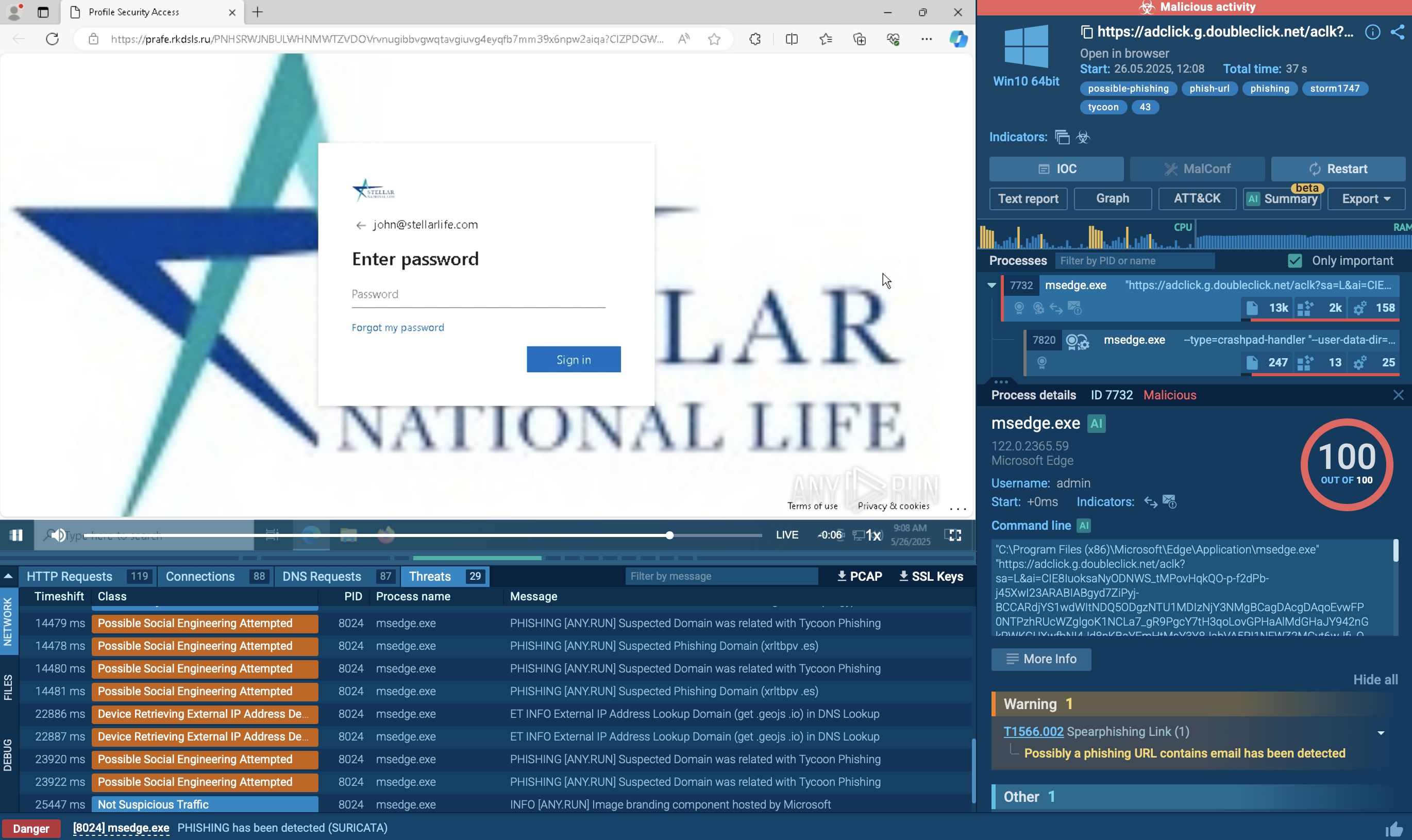
Tycoon 2FA is a phishing-as-a-service kit used for stealing credentials and equipped with advanced evasion capabilities.
Read More -

Learn how authentication flows provide a seamless experience across all application and device types
Read More -

Microsoft Threat Intelligence Center discovered an active and successful device code phishing campaign by a threat actor we track as Storm-2372. Our ongoing investigation indicates that this campaign has been active since August 2024 with the actor creating lures that resemble messaging app experiences including WhatsApp, Signal, and Microsoft Teams. Storm-2372’s targets during this time have included government, non-governmental organizations (NGOs), information technology (IT) services and technology, defense, telecommunications, health, higher education, and energy/oil and gas in Europe, North America, Africa, and the Middle East. Microsoft assesses with medium confidence that Storm-2372 aligns with Russian interests, victimology, and tradecraft.
Read More
Related rules
- Entra ID Microsoft Authentication Broker DRS Sign-In from Suspicious ASN
- Entra ID Microsoft Authentication Broker Sign-In to Unusual Resource
- Entra ID Microsoft Authentication Broker Sign-In with Non-Standard User Agent
- Entra ID Kali365 Default User-Agent Detected
- Entra ID Potential AiTM Sign-In via OfficeHome (Tycoon2FA)