Entra ID Primary Refresh Token Used by a Command-Line Client
Identifies a Microsoft Entra ID sign-in that presents a Primary Refresh Token (PRT) from a first-party command-line or scripting client, such as Azure CLI, Azure PowerShell, Microsoft Graph PowerShell, Azure AD PowerShell, Exchange Online PowerShell, Teams PowerShell, SharePoint Online Management Shell, or Intune PowerShell. PRTs are normally redeemed by device-integrated components such as Windows sign-in, Microsoft Edge, Office, OneDrive, and the Microsoft Authentication Broker. A PRT presented through a CLI client may indicate PRT replay: an adversary with a registered device and a device-bound PRT (tools such as ROADtools enable this) can mint tokens for Microsoft Graph and other resources without interactive prompts.
Elastic rule (View on GitHub)
  1[metadata]
  2creation_date = "2026/11/19"
  3integration = ["azure"]
  4maturity = "production"
  5updated_date = "2026/11/19"
  6
  7[rule]
  8author = ["Elastic"]
  9description = """
 10Identifies a Microsoft Entra ID sign-in that presents a Primary Refresh Token (PRT) from a first-party command-line or
 11scripting client, such as Azure CLI, Azure PowerShell, Microsoft Graph PowerShell, Azure AD PowerShell, Exchange Online
 12PowerShell, Teams PowerShell, SharePoint Online Management Shell, or Intune PowerShell. PRTs are normally redeemed by
 13device-integrated components such as Windows sign-in, Microsoft Edge, Office, OneDrive, and the Microsoft Authentication
 14Broker. A PRT presented through a CLI client may indicate PRT replay: an adversary with a registered device and a
 15device-bound PRT (tools such as ROADtools enable this) can mint tokens for Microsoft Graph and other resources without
 16interactive prompts.
 17"""
 18false_positives = [
 19    """
 20    Authorized red team or penetration testing engagements that replay PRTs. Document the engagement and add exceptions
 21    on the calling user or source IP.
 22    """,
 23    """
 24    Administrators using CLI clients on Entra joined or registered devices where the Web Account Manager (WAM) broker
 25    redeems the PRT on the client's behalf. Azure CLI and Azure PowerShell with broker authentication enabled are common
 26    examples. Validate the user, device, and source before tuning.
 27    """,
 28]
 29from = "now-9m"
 30index = ["logs-azure.signinlogs-*"]
 31language = "kuery"
 32license = "Elastic License v2"
 33name = "Entra ID Primary Refresh Token Used by a Command-Line Client"
 34note = """## Triage and analysis
 35
 36### Investigating Entra ID Primary Refresh Token Used by a Command-Line Client
 37
 38Entra ID issues Primary Refresh Tokens (PRTs) to registered or joined devices. They are normally redeemed by
 39device-integrated components (Windows sign-in, Microsoft Edge, Office, OneDrive, the Microsoft Authentication Broker).
 40This rule matches sign-ins where the incoming token is a PRT and the client is a first-party CLI or scripting
 41application: Azure CLI (`04b07795-...`), Azure PowerShell (`1950a258-...`), Microsoft Graph PowerShell (`14d82eec-...`),
 42Azure AD PowerShell (`1b730954-...`), Exchange Online PowerShell (`fb78d390-...`), Teams PowerShell (`12128f48-...`),
 43SharePoint Online Management Shell (`9bc3ab49-...`), and Intune PowerShell (`d1ddf0e4-...`). This pattern can indicate
 44PRT replay, but WAM broker authentication on a legitimate device can produce the same signal.
 45
 46### Possible investigation steps
 47
 48- Confirm the client and token type with `azure.signinlogs.properties.app_id`, `app_display_name`, and
 49`incoming_token_type` (`primaryRefreshToken`).
 50- Identify the user and device with `azure.signinlogs.properties.user_principal_name` and
 51`device_detail.device_id`, `device_detail.trust_type`, and `device_detail.is_managed`. Replayed PRTs often come from
 52Microsoft Entra registered, unmanaged devices that the user does not recognize.
 53- Review `azure.signinlogs.properties.resource_display_name`. Microsoft Graph, Exchange Online, or SharePoint indicate
 54the token is being used to reach data.
 55- Compare `source.ip`, ASN, and geolocation with the user's baseline. Hosting or VPS egress raises priority, and so does
 56a sign-in IP that differs from the device's usual network.
 57- Check `user_agent` and `device_detail.operating_system` against the registered device; a mismatch suggests replay
 58from another host.
 59- Pivot to `logs-azure.auditlogs-*` for a recent device registration (`Add device`, `Register device`) by the same user,
 60and to earlier sign-ins that could have seeded the registration (device code or refresh token flows).
 61- Ask the user whether they ran Azure CLI, Azure PowerShell, or similar tooling at that time.
 62
 63### False positive analysis
 64
 65- Administrators and developers using CLI clients with WAM broker authentication on managed or registered devices.
 66Expect a known device ID, a compliant or managed device, and a consistent source IP.
 67- Authorized red team or penetration testing activity. Confirm with the engagement owner before closing.
 68- If a benign pattern recurs, scope exceptions to the user and device ID rather than excluding the app.
 69
 70### Response and remediation
 71
 72- If the activity is not legitimate, remove the rogue device registration before revoking sessions, because device-bound
 73PRTs survive `revokeSignInSessions`. List with `GET /v1.0/users/{id}/registeredDevices`, then remove with
 74`DELETE /v1.0/devices/{deviceObjectId}`.
 75- Revoke refresh tokens and sessions (`POST /v1.0/users/{id}/revokeSignInSessions`), reset credentials, and re-register
 76MFA.
 77- Audit other persistence created in the window: authentication methods, OAuth grants, and app credentials.
 78"""
 79references = [
 80    "https://github.com/dirkjanm/ROADtools",
 81    "https://dirkjanm.io/abusing-azure-ad-sso-with-the-primary-refresh-token/",
 82    "https://dirkjanm.io/introducing-roadtools-token-exchange-roadtx/",
 83    "https://unit42.paloaltonetworks.com/roadtools-cloud-attacks/",
 84]
 85risk_score = 47
 86rule_id = "c894f171-b863-413e-adbb-7ef4844d104a"
 87severity = "medium"
 88tags = [
 89    "Domain: Cloud",
 90    "Domain: Identity",
 91    "Data Source: Azure",
 92    "Data Source: Microsoft Entra ID",
 93    "Data Source: Microsoft Entra ID Sign-In Logs",
 94    "Use Case: Identity and Access Audit",
 95    "Use Case: Threat Detection",
 96    "Tactic: Defense Evasion",
 97    "Tactic: Credential Access",
 98    "Resources: Investigation Guide",
 99    "Profile: Beta",
100    "Rule Type: Custom Query (KQL)",
101    "Platform: Entra ID",
102]
103timestamp_override = "event.ingested"
104type = "query"
105
106query = '''
107data_stream.dataset: "azure.signinlogs" and
108azure.signinlogs.properties.incoming_token_type: "primaryRefreshToken" and
109azure.signinlogs.properties.app_id: (
110    "04b07795-8ddb-461a-bbee-02f9e1bf7b46" or
111    "1950a258-227b-4e31-a9cf-717495945fc2" or
112    "14d82eec-204b-4c2f-b7e8-296a70dab67e" or
113    "1b730954-1685-4b74-9bfd-dac224a7b894" or
114    "fb78d390-0c51-40cd-8e17-fdbfab77341b" or
115    "12128f48-ec9e-42f0-b203-ea49fb6af367" or
116    "9bc3ab49-b65d-410a-85ad-de819febfddc" or
117    "d1ddf0e4-d672-4dae-b554-9d5bdfd93547"
118) and event.outcome: "success"
119'''
120
121
122[[rule.threat]]
123framework = "MITRE ATT&CK"
124[[rule.threat.technique]]
125id = "T1528"
126name = "Steal Application Access Token"
127reference = "https://attack.mitre.org/techniques/T1528/"
128
129
130[rule.threat.tactic]
131id = "TA0006"
132name = "Credential Access"
133reference = "https://attack.mitre.org/tactics/TA0006/"
134
135[[rule.threat]]
136framework = "MITRE ATT&CK"
137[[rule.threat.technique]]
138id = "T1550"
139name = "Use Alternate Authentication Material"
140reference = "https://attack.mitre.org/techniques/T1550/"
141[[rule.threat.technique.subtechnique]]
142id = "T1550.001"
143name = "Application Access Token"
144reference = "https://attack.mitre.org/techniques/T1550/001/"
145
146
147
148[rule.threat.tactic]
149id = "TA0005"
150name = "Defense Evasion"
151reference = "https://attack.mitre.org/tactics/TA0005/"
152
153[rule.investigation_fields]
154field_names = [
155    "@timestamp",
156    "azure.signinlogs.properties.user_principal_name",
157    "azure.signinlogs.properties.app_id",
158    "azure.signinlogs.properties.app_display_name",
159    "azure.signinlogs.properties.incoming_token_type",
160    "azure.signinlogs.properties.resource_display_name",
161    "azure.signinlogs.properties.session_id",
162    "azure.signinlogs.properties.device_detail.device_id",
163    "azure.signinlogs.properties.device_detail.display_name",
164    "azure.signinlogs.properties.device_detail.operating_system",
165    "azure.signinlogs.properties.device_detail.trust_type",
166    "azure.signinlogs.properties.device_detail.is_managed",
167    "azure.signinlogs.properties.device_detail.is_compliant",
168    "user_agent.original",
169    "source.ip",
170    "source.as.organization.name",
171    "source.geo.country_name",
172]
Triage and analysis
Investigating Entra ID Primary Refresh Token Used by a Command-Line Client
Entra ID issues Primary Refresh Tokens (PRTs) to registered or joined devices. They are normally redeemed by
device-integrated components (Windows sign-in, Microsoft Edge, Office, OneDrive, the Microsoft Authentication Broker).
This rule matches sign-ins where the incoming token is a PRT and the client is a first-party CLI or scripting
application: Azure CLI (04b07795-...), Azure PowerShell (1950a258-...), Microsoft Graph PowerShell (14d82eec-...),
Azure AD PowerShell (1b730954-...), Exchange Online PowerShell (fb78d390-...), Teams PowerShell (12128f48-...),
SharePoint Online Management Shell (9bc3ab49-...), and Intune PowerShell (d1ddf0e4-...). This pattern can indicate
PRT replay, but WAM broker authentication on a legitimate device can produce the same signal.
Possible investigation steps
- Confirm the client and token type with
azure.signinlogs.properties.app_id,app_display_name, andincoming_token_type(primaryRefreshToken). - Identify the user and device with
azure.signinlogs.properties.user_principal_nameanddevice_detail.device_id,device_detail.trust_type, anddevice_detail.is_managed. Replayed PRTs often come from Microsoft Entra registered, unmanaged devices that the user does not recognize. - Review
azure.signinlogs.properties.resource_display_name. Microsoft Graph, Exchange Online, or SharePoint indicate the token is being used to reach data. - Compare
source.ip, ASN, and geolocation with the user's baseline. Hosting or VPS egress raises priority, and so does a sign-in IP that differs from the device's usual network. - Check
user_agentanddevice_detail.operating_systemagainst the registered device; a mismatch suggests replay from another host. - Pivot to
logs-azure.auditlogs-*for a recent device registration (Add device,Register device) by the same user, and to earlier sign-ins that could have seeded the registration (device code or refresh token flows). - Ask the user whether they ran Azure CLI, Azure PowerShell, or similar tooling at that time.
False positive analysis
- Administrators and developers using CLI clients with WAM broker authentication on managed or registered devices. Expect a known device ID, a compliant or managed device, and a consistent source IP.
- Authorized red team or penetration testing activity. Confirm with the engagement owner before closing.
- If a benign pattern recurs, scope exceptions to the user and device ID rather than excluding the app.
Response and remediation
- If the activity is not legitimate, remove the rogue device registration before revoking sessions, because device-bound
PRTs survive
revokeSignInSessions. List withGET /v1.0/users/{id}/registeredDevices, then remove withDELETE /v1.0/devices/{deviceObjectId}. - Revoke refresh tokens and sessions (
POST /v1.0/users/{id}/revokeSignInSessions), reset credentials, and re-register MFA. - Audit other persistence created in the window: authentication methods, OAuth grants, and app credentials.
References
-
A collection of Azure AD/Entra tools for offensive and defensive security purposes - dirkjanm/ROADtools
Read More -
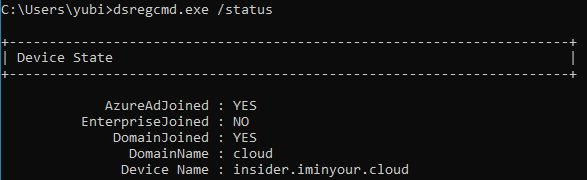
Modern corporate environments often don’t solely exist of an on-prem Active Directory. A hybrid setup, where devices are joined to both on-prem AD and Azure AD, or a set-up where they are only joined to Azure AD is getting more common. These hybrid set-ups offer multiple advantages, one of which is the ability to use Single Sign On (SSO) against both on-prem and Azure AD connected resources. To enable this, devices possess a Primary Refresh Token which is a long-term token that is stored on the device, where possible using a TPM for extra security. This blog explains how SSO works with the Primary Refresh Tokens, and what some of the implicit risks are of using SSO. I’ll also demonstrate how attackers can abuse this if they have access to a device which is Azure AD joined or Hybrid joined, to obtain long-lived tokens which can be used independently of the device and which will in most cases comply with even the stricter Conditional Access policies. A tool to abuse this and the capabilities to use this with ROADtools are present towards the end of this blog, as well as considerations for defenders.
Read More -
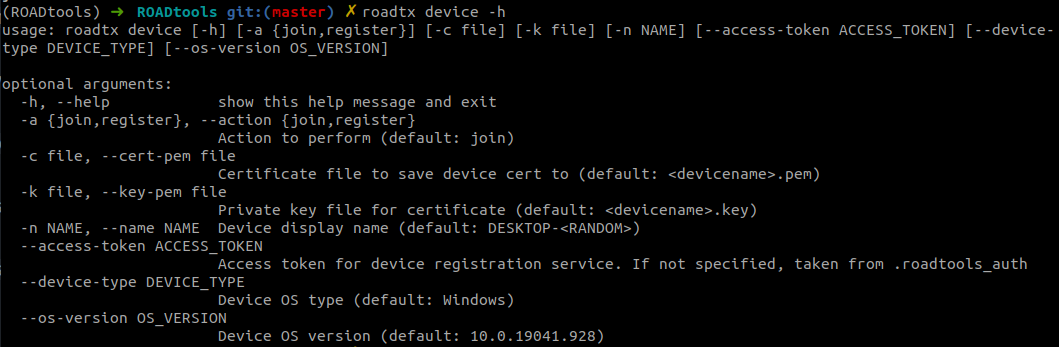
Ever since the initial release of ROADrecon and the ROADtools framework I have been adding new features to it, especially on the authentication side. As a result, it supports many forms of authentication, such as using Primary Refresh Tokens (PRTs), PRT cookies, and regular access/refresh tokens. The authentication modules are all part of the shared library roadlib, and can be used in other tools by importing the library. Even though you can request tokens for any Azure AD connected resource and with many client IDs, the only tool exposing this authentication part was ROADrecon. It always felt unnatural and illogical to tell people that you can use a recon tool to request tokens for many other purposes. So I decided to start writing a new tool, which resolves around requesting and using Azure AD tokens. As I was working on this, I started adding proof of concepts I wrote during my Azure AD devices research into the tool, adding support for registering devices and requesting Primary Refresh Tokens using device credentials. I also added various modules for injecting PRTs into browser sessions with Selenium, and for automating authentication with MFA. The result is a comprehensive tool called ROADtools Token eXchange, or simply roadtx. Currently it has the following capabilities:
Read More -

Open-source framework ROADtools is being misused by threat actors for cloud intrusions. Learn how to identify its malicious use.
Read More
Related rules
- Entra ID Device-Bound PRT Replay via First-Party App from Unusual IP
- Entra ID Device-Bound PRT from Unusual Device IP
- Entra ID Kali365 Default User-Agent Detected
- Entra ID AiTM Phishing-Kit Chain Detected
- Entra ID Conditional Access MFA Bypass with Unusual User, Client and Source ASN