Entra ID FIDO2 Passkey Registered Outside the Self-Service Portal
Identifies the registration of a FIDO2 or passkey authentication method for a Microsoft Entra ID user that was not initiated by the self-service combined registration portal (Microsoft App Access Panel), My SignIns or My Profile. Registration through Microsoft Graph, a service principal, or another application can indicate scripted provisioning with tooling such as DSInternals.Passkeys or roadtx, which adversaries use after account takeover to register a shadow passkey for phishing-resistant persistence. Administrative provisioning on behalf of users follows the same path and should be baselined.
Elastic rule (View on GitHub)
  1[metadata]
  2creation_date = "2026/10/21"
  3integration = ["azure"]
  4maturity = "production"
  5updated_date = "2026/10/21"
  6
  7[rule]
  8author = ["Elastic"]
  9description = """
 10Identifies the registration of a FIDO2 or passkey authentication method for a Microsoft Entra ID user that was not
 11initiated by the self-service combined registration portal (Microsoft App Access Panel), My SignIns or My Profile.
 12Registration through Microsoft Graph, a service principal, or another application can indicate scripted provisioning
 13with tooling such as DSInternals.Passkeys or roadtx, which adversaries use after account takeover to register a shadow
 14passkey for phishing-resistant persistence. Administrative provisioning on behalf of users follows the same path and
 15should be baselined.
 16"""
 17false_positives = [
 18    """
 19    Administrators can legitimately register FIDO2 security keys or passkeys on behalf of users through Microsoft Graph
 20    or PowerShell (for example during bulk onboarding or hardware-key provisioning), which also originates outside the
 21    self-service portal. Baseline the applications and service principals that legitimately register authentication
 22    methods in the environment and add them as exceptions. Investigate registrations initiated by an unexpected
 23    application, by a service principal, where the initiator differs from the target user, or that follow an anomalous
 24    sign-in or OAuth consent grant.
 25    """,
 26]
 27from = "now-9m"
 28index = ["logs-azure.auditlogs-*"]
 29language = "kuery"
 30license = "Elastic License v2"
 31name = "Entra ID FIDO2 Passkey Registered Outside the Self-Service Portal"
 32note = """## Triage and analysis
 33
 34### Investigating Entra ID FIDO2 Passkey Registered Outside the Self-Service Portal
 35
 36A FIDO2 or passkey authentication method was registered for a user through a path other than the self-service combined registration portal. Legitimate end-user enrollment is initiated by the "Microsoft App Access Panel" application (`0000000c-0000-0000-c000-000000000000`). Registration via Microsoft Graph, a service principal, or another application can be legitimate admin provisioning, but it is also how adversaries establish persistence after account takeover: using a stolen token or a privileged application granted `UserAuthenticationMethod.ReadWrite.All`, they register an attacker-controlled passkey (a "shadow passkey") that is phishing-resistant and survives password resets and ordinary session revocation.
 37
 38### Possible investigation steps
 39
 40- Identify the initiating application or service principal (`azure.auditlogs.properties.initiated_by.app.displayName` / `initiated_by.app.appId` / `initiated_by.app.servicePrincipalId`) and determine whether it is an approved provisioning tool in the environment.
 41- Compare the initiator (`azure.auditlogs.properties.initiated_by.user.userPrincipalName`) with the target (`azure.auditlogs.properties.target_resources.0.user_principal_name`). An initiator that differs from the target, or an app/service-principal initiator, is higher priority.
 42- Inspect the registered authenticator in the event's `modifiedProperties`: `Fido2AuthenticationMethod.AaGuid` (compare against the organization's known-good AAGUIDs and known offensive-tooling AAGUIDs), `Fido2AuthenticationMethod.AttestationLevel` (`NotAttested` is lower assurance), and `Fido2AuthenticationMethod.PasskeyType` (`Synced` keys are portable off-device).
 43- Correlate with `azure.signinlogs` and OAuth consent/application audit events shortly before the registration: look for an adversary-in-the-middle session, a device-code flow, or a newly consented application that holds `UserAuthenticationMethod.ReadWrite.All`.
 44- Determine whether the target holds privileged roles; a shadow passkey on a privileged account is high impact.
 45
 46### False positive analysis
 47
 48- Administrative or scripted provisioning of FIDO2 keys/passkeys on behalf of users (Graph/PowerShell) also originates outside the portal. Baseline and except the approved provisioning applications and administrators.
 49- If the initiating application is a sanctioned identity-lifecycle or helpdesk tool, confirm the target and timing align with an expected onboarding or provisioning activity.
 50
 51### Response and remediation
 52
 53- If the registration is unauthorized, delete the attacker-registered passkey and any attacker-registered device via Microsoft Graph or the Entra portal. Delete devices first to break device-bound PRT persistence, then revoke sessions and refresh tokens and reset credentials.
 54- Review and revoke the application or consent grant that performed the registration, and audit other authentication methods added by the same principal.
 55- Enforce a phishing-resistant Conditional Access authentication strength and restrict which applications can write authentication methods.
 56"""
 57references = [
 58    "https://cybersecurity.bureauveritas.com/services/information-technology/pentesting-services/what-can-be-pentested/cloud-pentesting/abusing-fido2-passkeys",
 59    "https://github.com/SpecterOps/pass-the-passkey",
 60    "https://blog.icewolf.ch/archive/2024/10/25/register-FIDO2-passkey-in-entra-id-on-behalf-of-users-with-powershell/",
 61    "https://www.elastic.co/security-labs/entra-id-oauth-phishing-detection",
 62]
 63risk_score = 47
 64rule_id = "3d8b447d-6955-4859-9262-6c378d7afa15"
 65setup = """#### Required Microsoft Entra ID Audit Logs
 66This rule requires the Azure integration with Microsoft Entra ID Audit logs enabled and collected via Azure Event Hub.
 67"""
 68severity = "medium"
 69tags = [
 70    "Domain: Cloud",
 71    "Domain: Identity",
 72    "Platform: Entra ID",
 73    "Platform: Azure",
 74    "Data Source: Entra ID Audit Logs",
 75    "Use Case: Identity and Access Audit",
 76    "Use Case: Threat Detection",
 77    "Tactic: Persistence",
 78    "Rule Type: Custom Query (KQL)",
 79    "Resources: Investigation Guide",
 80    "Profile: Beta",
 81]
 82timestamp_override = "event.ingested"
 83type = "query"
 84
 85query = '''
 86data_stream.dataset:azure.auditlogs and
 87event.outcome:(Success or success) and
 88(
 89    (
 90        azure.auditlogs.operation_name:"User registered security info" and
 91        azure.auditlogs.properties.result_reason:(
 92            "User registered Fido2 Authentication Method" or
 93            "User registered Passkey"
 94        )
 95    ) or
 96    (
 97        azure.auditlogs.operation_name:"Admin registered security info" and
 98        azure.auditlogs.properties.result_reason:(
 99            "Admin registered Fido2 Authentication Method for user" or
100            "Admin registered Passkey"
101        )
102    )
103) and
104azure.auditlogs.properties.initiated_by.app.appId:(
105    * and not (
106        0000000c-0000-0000-c000-000000000000 or
107        19db86c3-b2b9-44cc-b339-36da233a3be2 or
108        8c59ead7-d703-4a27-9e55-c96a0054c8d2
109    )
110)
111'''
112
113
114[[rule.threat]]
115framework = "MITRE ATT&CK"
116[[rule.threat.technique]]
117id = "T1098"
118name = "Account Manipulation"
119reference = "https://attack.mitre.org/techniques/T1098/"
120[[rule.threat.technique.subtechnique]]
121id = "T1098.001"
122name = "Additional Cloud Credentials"
123reference = "https://attack.mitre.org/techniques/T1098/001/"
124
125
126
127[rule.threat.tactic]
128id = "TA0003"
129name = "Persistence"
130reference = "https://attack.mitre.org/tactics/TA0003/"
Triage and analysis
Investigating Entra ID FIDO2 Passkey Registered Outside the Self-Service Portal
A FIDO2 or passkey authentication method was registered for a user through a path other than the self-service combined registration portal. Legitimate end-user enrollment is initiated by the "Microsoft App Access Panel" application (0000000c-0000-0000-c000-000000000000). Registration via Microsoft Graph, a service principal, or another application can be legitimate admin provisioning, but it is also how adversaries establish persistence after account takeover: using a stolen token or a privileged application granted UserAuthenticationMethod.ReadWrite.All, they register an attacker-controlled passkey (a "shadow passkey") that is phishing-resistant and survives password resets and ordinary session revocation.
Possible investigation steps
- Identify the initiating application or service principal (
azure.auditlogs.properties.initiated_by.app.displayName/initiated_by.app.appId/initiated_by.app.servicePrincipalId) and determine whether it is an approved provisioning tool in the environment. - Compare the initiator (
azure.auditlogs.properties.initiated_by.user.userPrincipalName) with the target (azure.auditlogs.properties.target_resources.0.user_principal_name). An initiator that differs from the target, or an app/service-principal initiator, is higher priority. - Inspect the registered authenticator in the event's
modifiedProperties:Fido2AuthenticationMethod.AaGuid(compare against the organization's known-good AAGUIDs and known offensive-tooling AAGUIDs),Fido2AuthenticationMethod.AttestationLevel(NotAttestedis lower assurance), andFido2AuthenticationMethod.PasskeyType(Syncedkeys are portable off-device). - Correlate with
azure.signinlogsand OAuth consent/application audit events shortly before the registration: look for an adversary-in-the-middle session, a device-code flow, or a newly consented application that holdsUserAuthenticationMethod.ReadWrite.All. - Determine whether the target holds privileged roles; a shadow passkey on a privileged account is high impact.
False positive analysis
- Administrative or scripted provisioning of FIDO2 keys/passkeys on behalf of users (Graph/PowerShell) also originates outside the portal. Baseline and except the approved provisioning applications and administrators.
- If the initiating application is a sanctioned identity-lifecycle or helpdesk tool, confirm the target and timing align with an expected onboarding or provisioning activity.
Response and remediation
- If the registration is unauthorized, delete the attacker-registered passkey and any attacker-registered device via Microsoft Graph or the Entra portal. Delete devices first to break device-bound PRT persistence, then revoke sessions and refresh tokens and reset credentials.
- Review and revoke the application or consent grant that performed the registration, and audit other authentication methods added by the same principal.
- Enforce a phishing-resistant Conditional Access authentication strength and restrict which applications can write authentication methods.
References
-

FIDO2 passkeys are a step forward for securely managing identities. But they can also be abused. Senior security specialist Max Rozendaal explains how attackers do this, and what you can do to mitigate this attack path.
Read More -
Pass-the-Passkey Family of Attacks. Contribute to SpecterOps/pass-the-passkey development by creating an account on GitHub.
Read More -
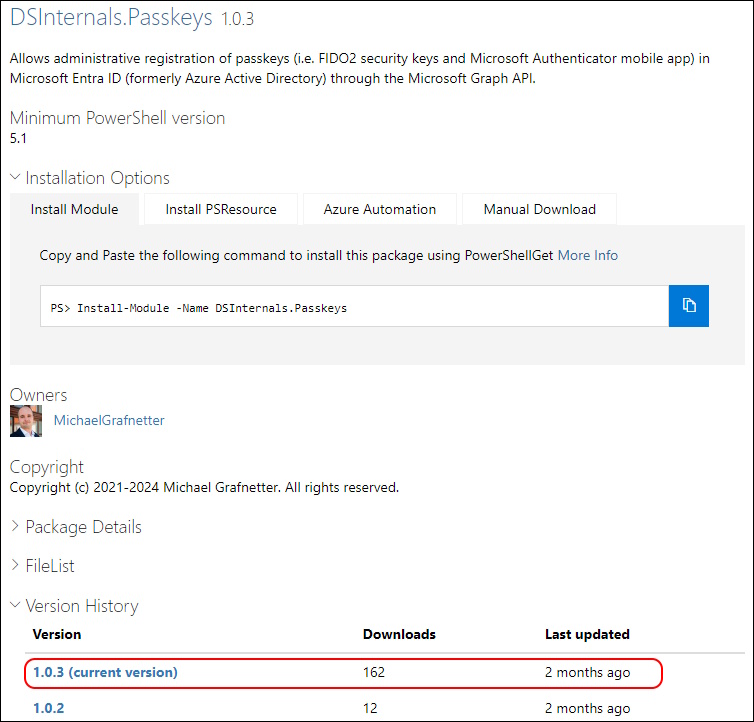
Hi All, Recently i was working together with one of my fellows (shout out to Raul Ruta) to figure out how Register Passkeys with the new Microsoft Graph Beta API’s.
Read More -

This article explores OAuth phishing and token-based abuse in Microsoft Entra ID. Through emulation and analysis of tokens, scope, and device behavior during sign-in activity, we surface high-fidelity...
Read More
Related rules
- Entra ID Device Registration with ROADtools Default OS Build
- Entra ID Application Credential Modified
- Entra ID Application Self-Assigned to Privileged Role
- Entra ID Privileged Role Assigned to Another Account
- Entra ID Device Registration with Phishing Kit Default OS Build