Entra ID OAuth Device Code Grant by Unusual User
Identifies when a user is observed for the first time authenticating using the device code authentication workflow. This authentication workflow can be abused by attackers to phish users and steal access tokens to impersonate the victim. By its very nature, device code should only be used when logging in to devices without keyboards, where it is difficult to enter emails and passwords. This rule only applies to Entra ID user types and detects new users leveraging this flow.
Elastic rule (View on GitHub)
  1[metadata]
  2creation_date = "2024/10/14"
  3integration = ["azure"]
  4maturity = "production"
  5updated_date = "2026/02/26"
  6
  7[rule]
  8author = ["Elastic", "Matteo Potito Giorgio"]
  9description = """
 10Identifies when a user is observed for the first time authenticating using the device code authentication workflow. This
 11authentication workflow can be abused by attackers to phish users and steal access tokens to impersonate the victim. By
 12its very nature, device code should only be used when logging in to devices without keyboards, where it is difficult to
 13enter emails and passwords. This rule only applies to Entra ID user types and detects new users leveraging this flow.
 14"""
 15from = "now-9m"
 16index = ["filebeat-*", "logs-azure.signinlogs-*", "logs-azure.activitylogs-*"]
 17language = "kuery"
 18license = "Elastic License v2"
 19name = "Entra ID OAuth Device Code Grant by Unusual User"
 20note = """## Triage and analysis
 21
 22### Investigating Entra ID OAuth Device Code Grant by Unusual User
 23
 24This rule detects the first instance of a user authenticating via the DeviceCode authentication protocol within the historical window. The DeviceCode authentication workflow is designed for devices that lack keyboards, such as IoT devices and smart TVs. However, adversaries can abuse this mechanism by phishing users and stealing authentication tokens, leading to unauthorized access.
 25
 26### Possible investigation steps
 27
 28- Review `azure.signinlogs.properties.user_principal_name` and `azure.signinlogs.properties.user_id` to identify the user involved.
 29- Confirm that `azure.signinlogs.properties.authentication_protocol` is set to `deviceCode`.
 30- Verify the application through `azure.signinlogs.properties.app_display_name` and `azure.signinlogs.properties.app_id` to determine if it is expected.
 31- Check `source.ip` and compare it with previous authentication logs to determine whether the login originated from a trusted location.
 32- Analyze `source.geo.city_name`, `source.geo.region_name`, and `source.geo.country_name` to confirm whether the login location is suspicious.
 33- Review `source.as.organization.name` to check if the IP is associated with a known organization or cloud provider.
 34- Review `azure.signinlogs.properties.applied_conditional_access_policies` and `azure.signinlogs.properties.conditional_access_status` to determine if MFA or conditional access policies were enforced or bypassed.
 35- Look at `azure.signinlogs.properties.authentication_details` to confirm how authentication was satisfied.
 36- Review `azure.signinlogs.properties.device_detail.browser` and `user_agent.original` to determine if the login aligns with expected device behavior.
 37- Verify `azure.signinlogs.properties.client_app_used` to confirm whether the login was performed using a known client.
 38- Check if the user recently reported phishing attempts or suspicious emails.
 39- Look for recent changes in the user’s account settings, including password resets, role changes, or delegation of access.
 40- Review if other users in the environment have triggered similar DeviceCode authentication events within the same timeframe.
 41
 42### False positive analysis
 43
 44- If the user is setting up a new device (e.g., a smart TV or kiosk), this authentication may be expected.
 45- Some legitimate applications or scripts may leverage the DeviceCode authentication protocol for non-interactive logins.
 46- In cases where shared workstations or conference room devices are in use, legitimate users may trigger alerts.
 47- If the user is traveling or accessing from a new location, confirm legitimacy before taking action.
 48
 49### Response and remediation
 50
 51- Immediately revoke any access tokens associated with this authentication event.
 52- Review additional authentication logs, application access, and recent permission changes for signs of compromise.
 53- Reset the affected user’s credentials and enforce stricter MFA policies for sensitive accounts.
 54- Restrict DeviceCode authentication to only required applications.
 55- Enable additional logging and anomaly detection for DeviceCode logins.
 56- If phishing is suspected, notify the affected user and provide security awareness training on how to recognize and report phishing attempts.
 57- Limit DeviceCode authentication to approved users and applications via conditional access policies.
 58"""
 59references = [
 60    "https://aadinternals.com/post/phishing/",
 61    "https://www.blackhillsinfosec.com/dynamic-device-code-phishing/",
 62    "https://www.volexity.com/blog/2025/02/13/multiple-russian-threat-actors-targeting-microsoft-device-code-authentication/",
 63    "https://learn.microsoft.com/en-us/entra/identity/conditional-access/concept-authentication-flows",
 64    "https://www.microsoft.com/en-us/security/blog/2025/02/13/storm-2372-conducts-device-code-phishing-campaign/"
 65]
 66risk_score = 47
 67rule_id = "af22d970-7106-45b4-b5e3-460d15333727"
 68setup = """#### Required Microsoft Entra ID Sign-In Logs
 69This rule requires the Azure integration with Microsoft Entra ID Sign-In logs to be enabled and configured to collect audit and activity logs via Azure Event Hub.
 70"""
 71severity = "medium"
 72tags = [
 73    "Domain: Cloud",
 74    "Domain: Identity",
 75    "Data Source: Azure",
 76    "Data Source: Microsoft Entra ID",
 77    "Data Source: Microsoft Entra ID Sign-In Logs",
 78    "Use Case: Identity and Access Audit",
 79    "Tactic: Initial Access",
 80    "Resources: Investigation Guide",
 81]
 82timestamp_override = "event.ingested"
 83type = "new_terms"
 84
 85query = '''
 86event.dataset:(azure.activitylogs or azure.signinlogs)
 87    and (
 88            azure.signinlogs.properties.authentication_protocol:deviceCode or
 89            azure.signinlogs.properties.original_transfer_method:deviceCodeFlow or
 90            azure.activitylogs.properties.authentication_protocol:deviceCode
 91        )
 92    and event.outcome:success
 93    and azure.signinlogs.properties.user_type:*
 94    and not azure.signinlogs.properties.app_id:(
 95        "29d9ed98-a469-4536-ade2-f981bc1d605e" or
 96        "d5a56ea4-7369-46b8-a538-c370805301bf" or
 97        "80faf920-1908-4b52-b5ef-a8e7bedfc67a" or
 98        "97877f11-0fc6-4aee-b1ff-febb0519dd00" or
 99        "245e1dee-74ef-4257-a8c8-8208296e1dfd" or
100        "9ba1a5c7-f17a-4de9-a1f1-6178c8d51223" or
101        "74bcdadc-2fdc-4bb3-8459-76d06952a0e9" or
102        "4813382a-8fa7-425e-ab75-3b753aab3abb" or
103        "a850aaae-d5a5-4e82-877c-ce54ff916282"
104    )
105'''
106
107
108[[rule.threat]]
109framework = "MITRE ATT&CK"
110[[rule.threat.technique]]
111id = "T1566"
112name = "Phishing"
113reference = "https://attack.mitre.org/techniques/T1566/"
114[[rule.threat.technique.subtechnique]]
115id = "T1566.002"
116name = "Spearphishing Link"
117reference = "https://attack.mitre.org/techniques/T1566/002/"
118
119[[rule.threat.technique]]
120id = "T1078"
121name = "Valid Accounts"
122reference = "https://attack.mitre.org/techniques/T1078/"
123[[rule.threat.technique.subtechnique]]
124id = "T1078.004"
125name = "Cloud Accounts"
126reference = "https://attack.mitre.org/techniques/T1078/004/"
127
128
129[rule.threat.tactic]
130id = "TA0001"
131name = "Initial Access"
132reference = "https://attack.mitre.org/tactics/TA0001/"
133
134[rule.new_terms]
135field = "new_terms_fields"
136value = ["azure.signinlogs.properties.user_principal_name"]
137[[rule.new_terms.history_window_start]]
138field = "history_window_start"
139value = "now-7d"
Triage and analysis
Investigating Entra ID OAuth Device Code Grant by Unusual User
This rule detects the first instance of a user authenticating via the DeviceCode authentication protocol within the historical window. The DeviceCode authentication workflow is designed for devices that lack keyboards, such as IoT devices and smart TVs. However, adversaries can abuse this mechanism by phishing users and stealing authentication tokens, leading to unauthorized access.
Possible investigation steps
- Review
azure.signinlogs.properties.user_principal_nameandazure.signinlogs.properties.user_idto identify the user involved. - Confirm that
azure.signinlogs.properties.authentication_protocolis set todeviceCode. - Verify the application through
azure.signinlogs.properties.app_display_nameandazure.signinlogs.properties.app_idto determine if it is expected. - Check
source.ipand compare it with previous authentication logs to determine whether the login originated from a trusted location. - Analyze
source.geo.city_name,source.geo.region_name, andsource.geo.country_nameto confirm whether the login location is suspicious. - Review
source.as.organization.nameto check if the IP is associated with a known organization or cloud provider. - Review
azure.signinlogs.properties.applied_conditional_access_policiesandazure.signinlogs.properties.conditional_access_statusto determine if MFA or conditional access policies were enforced or bypassed. - Look at
azure.signinlogs.properties.authentication_detailsto confirm how authentication was satisfied. - Review
azure.signinlogs.properties.device_detail.browseranduser_agent.originalto determine if the login aligns with expected device behavior. - Verify
azure.signinlogs.properties.client_app_usedto confirm whether the login was performed using a known client. - Check if the user recently reported phishing attempts or suspicious emails.
- Look for recent changes in the user’s account settings, including password resets, role changes, or delegation of access.
- Review if other users in the environment have triggered similar DeviceCode authentication events within the same timeframe.
False positive analysis
- If the user is setting up a new device (e.g., a smart TV or kiosk), this authentication may be expected.
- Some legitimate applications or scripts may leverage the DeviceCode authentication protocol for non-interactive logins.
- In cases where shared workstations or conference room devices are in use, legitimate users may trigger alerts.
- If the user is traveling or accessing from a new location, confirm legitimacy before taking action.
Response and remediation
- Immediately revoke any access tokens associated with this authentication event.
- Review additional authentication logs, application access, and recent permission changes for signs of compromise.
- Reset the affected user’s credentials and enforce stricter MFA policies for sensitive accounts.
- Restrict DeviceCode authentication to only required applications.
- Enable additional logging and anomaly detection for DeviceCode logins.
- If phishing is suspected, notify the affected user and provide security awareness training on how to recognize and report phishing attempts.
- Limit DeviceCode authentication to approved users and applications via conditional access policies.
References
-
The ongoing global phishing campaings againts Microsoft 365 have used various phishing techniques. Currently attackers are utilising forged login sites and OAuth app consents. In this blog, I’ll introduce a new phishing technique based on Azure AD device code authentication flow. I’ll also provide instructions on how to detect usage of compromised credentials and what to do to prevent phishing using the new technique.
Read More -
rvrsh3ll // Introduction This blog post is intended to give a light overview of device codes, access tokens, and refresh tokens. Here, I focus on the technical how-to for standing […]
Read More -
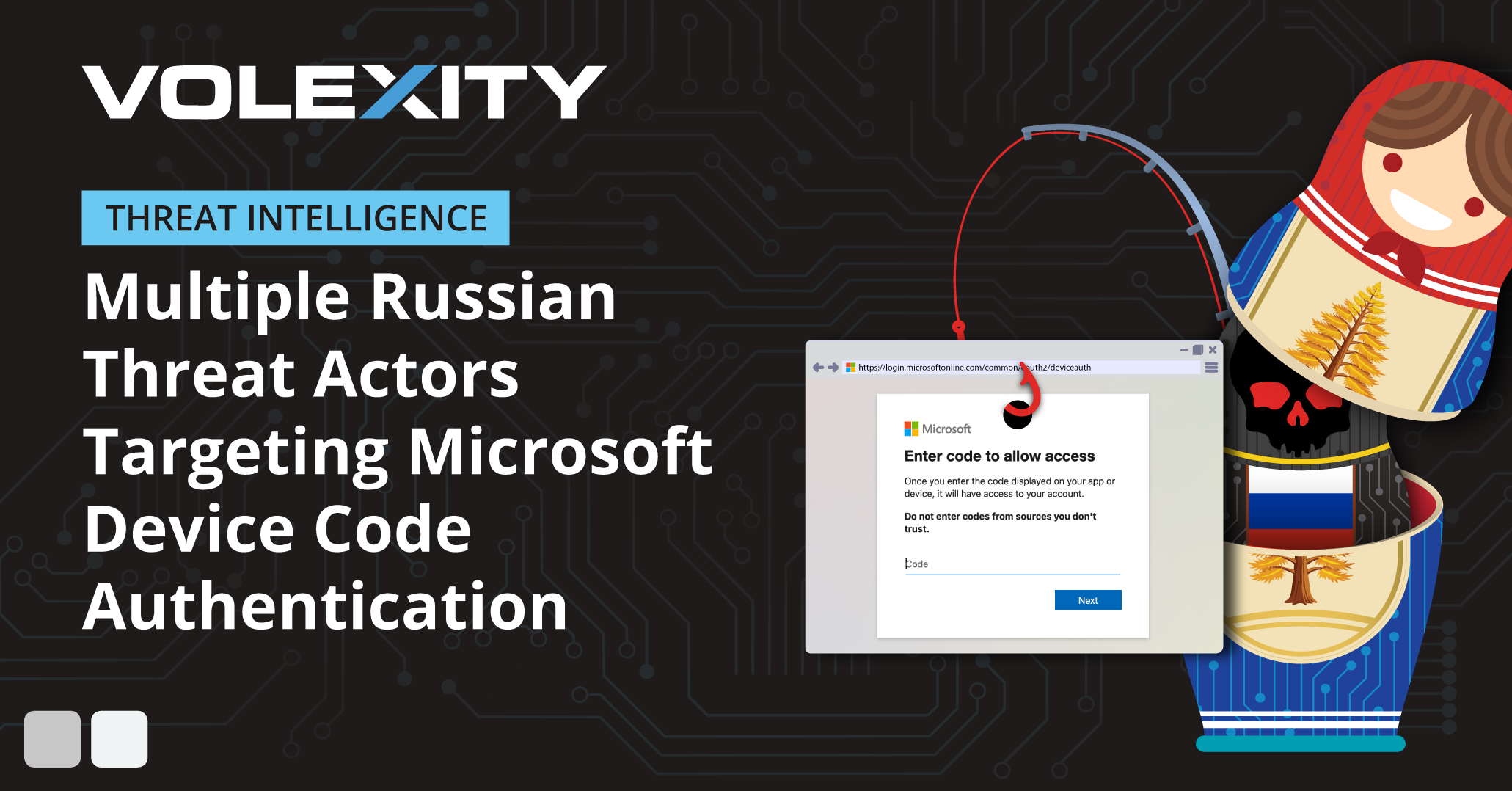
Starting in mid-January 2025, Volexity identified several social-engineering and spear-phishing campaigns by Russian threat actors aimed at compromising Microsoft 365 (M365) accounts. These attack campaigns were highly targeted and carried out in a variety of ways. The majority of these attacks originated via spear-phishing emails with different themes. In one case, the eventual breach began with highly tailored outreach via Signal.Through its investigations, Volexity discovered that Russian threat actors were impersonating a variety of individuals
Read More -

Learn how authentication flows provide a seamless experience across all application and device types
Read More -

Microsoft Threat Intelligence Center discovered an active and successful device code phishing campaign by a threat actor we track as Storm-2372. Our ongoing investigation indicates that this campaign has been active since August 2024 with the actor creating lures that resemble messaging app experiences including WhatsApp, Signal, and Microsoft Teams. Storm-2372’s targets during this time have included government, non-governmental organizations (NGOs), information technology (IT) services and technology, defense, telecommunications, health, higher education, and energy/oil and gas in Europe, North America, Africa, and the Middle East. Microsoft assesses with medium confidence that Storm-2372 aligns with Russian interests, victimology, and tradecraft.
Read More
Related rules
- Entra ID Service Principal Federated Credential Authentication by Unusual Client
- Entra ID OAuth User Impersonation to Microsoft Graph
- Entra ID OAuth ROPC Grant Login Detected
- Entra ID Sharepoint or OneDrive Accessed by Unusual Client
- Entra ID OAuth Authorization Code Grant for Unusual User, App, and Resource