Entra ID Federated Identity Credential Issuer Modified
Detects when the issuer URL of a federated identity credential is changed on an Entra ID application. Adversaries may modify the issuer to point to an attacker-controlled identity provider, enabling them to authenticate as the application's service principal and gain persistent access to Azure resources. This technique allows bypassing traditional authentication controls by federating trust with a malicious external identity provider.
Elastic rule (View on GitHub)
  1[metadata]
  2creation_date = "2025/07/14"
  3integration = ["azure"]
  4maturity = "production"
  5min_stack_version = "9.2.0"
  6min_stack_comments = "Changes in ECS added cloud.* fields which are not available prior to ^9.2.0"
  7updated_date = "2026/03/18"
  8
  9[rule]
 10author = ["Elastic"]
 11description = """
 12Detects when the issuer URL of a federated identity credential is changed on an Entra ID application. Adversaries may
 13modify the issuer to point to an attacker-controlled identity provider, enabling them to authenticate as the
 14application's service principal and gain persistent access to Azure resources. This technique allows bypassing
 15traditional authentication controls by federating trust with a malicious external identity provider.
 16"""
 17from = "now-9m"
 18language = "esql"
 19license = "Elastic License v2"
 20name = "Entra ID Federated Identity Credential Issuer Modified"
 21note = """## Triage and analysis
 22
 23### Investigating Entra ID Federated Identity Credential Issuer Modified
 24
 25This rule detects when the issuer URL within a federated identity credential is modified on an Entra ID application. Federated identity credentials allow applications to authenticate using tokens from external identity providers (like GitHub Actions, AWS, etc.) without managing secrets. Adversaries can abuse this by changing the issuer to an attacker-controlled identity provider, allowing them to generate valid tokens and authenticate as the application's service principal.
 26
 27This technique provides persistent access to Azure resources with the application's permissions and bypasses secret-based authentication controls.
 28
 29### Possible investigation steps
 30
 31- Review `azure.auditlogs.properties.initiated_by.user.userPrincipalName` and `ipAddress` to identify who made the change and from where.
 32- Examine the `Esql.external_idp_old_issuer` and `Esql.external_idp_new_issuer` fields to determine if the new issuer is expected or potentially malicious.
 33- Check if the new issuer domain is controlled by the organization or if it's an external/suspicious domain.
 34- Review the application's assigned roles and permissions to understand the scope of access gained.
 35- Use `azure.correlation_id` to pivot to related changes in the same session.
 36- Check for subsequent Azure sign-in activity using the modified federated credential.
 37- Investigate if the application has been used to access sensitive resources after the change.
 38
 39### False positive analysis
 40
 41- Legitimate migrations from one identity provider to another (e.g., GitHub to GitLab) may trigger this detection.
 42- DevOps teams may update issuer URLs as part of CI/CD pipeline changes.
 43- Validate any changes with the application owner or DevOps team before taking action.
 44
 45### Response and remediation
 46
 47- If the change is unauthorized, immediately remove or revert the federated identity credential.
 48- Rotate any secrets or certificates associated with the application.
 49- Review Azure sign-in logs and audit logs for any unauthorized activity using the application's identity.
 50- Disable the application or service principal if compromise is confirmed.
 51- Investigate how the unauthorized change occurred (e.g., compromised admin account, over-privileged service principal).
 52- Implement conditional access policies and PIM (Privileged Identity Management) to protect application management operations.
 53"""
 54references = [
 55    "https://dirkjanm.io/persisting-with-federated-credentials-entra-apps-managed-identities/",
 56    "https://learn.microsoft.com/en-us/entra/workload-id/workload-identity-federation",
 57]
 58risk_score = 73
 59rule_id = "498e4094-60e7-11f0-8847-f661ea17fbcd"
 60setup = """### Microsft Entra ID Audit Logs
 61This rule requires the Azure integration with Microsoft Entra ID Audit Logs data stream ingesting in your Elastic Stack deployment. For more information, refer to the [Microsoft Entra ID Audit Logs integration documentation](https://www.elastic.co/docs/reference/integrations/azure/adlogs).
 62"""
 63severity = "high"
 64tags = [
 65    "Domain: Cloud",
 66    "Domain: Identity",
 67    "Data Source: Azure",
 68    "Data Source: Microsoft Entra ID",
 69    "Data Source: Microsoft Entra ID Audit Logs",
 70    "Use Case: Identity and Access Audit",
 71    "Tactic: Persistence",
 72    "Tactic: Privilege Escalation",
 73    "Resources: Investigation Guide",
 74]
 75timestamp_override = "event.ingested"
 76type = "esql"
 77
 78query = '''
 79from logs-azure.auditlogs-* metadata _id, _version, _index
 80| where event.action == "Update application"
 81| where `azure.auditlogs.properties.target_resources.0.modified_properties.0.display_name` == "FederatedIdentityCredentials"
 82| eval Esql.target_resources_old_value_clean = replace(`azure.auditlogs.properties.target_resources.0.modified_properties.0.old_value`, "\\\\", "")
 83| eval Esql.target_resources_new_value_clean = replace(`azure.auditlogs.properties.target_resources.0.modified_properties.0.new_value`, "\\\\", "")
 84| dissect Esql.target_resources_old_value_clean "%{}\"Issuer\":\"%{Esql.external_idp_old_issuer}\"%{}"
 85| dissect Esql.target_resources_new_value_clean "%{}\"Issuer\":\"%{Esql.external_idp_new_issuer}\"%{}"
 86| where Esql.external_idp_old_issuer is not null and Esql.external_idp_new_issuer is not null
 87| where Esql.external_idp_old_issuer != Esql.external_idp_new_issuer
 88| keep @timestamp, Esql.*, azure.*, event.*, cloud.*, related.*, tags, source.*, agent.*, client.*, _id, _version, _index, data_stream.namespace
 89'''
 90
 91
 92[[rule.threat]]
 93framework = "MITRE ATT&CK"
 94[[rule.threat.technique]]
 95id = "T1098"
 96name = "Account Manipulation"
 97reference = "https://attack.mitre.org/techniques/T1098/"
 98[[rule.threat.technique.subtechnique]]
 99id = "T1098.001"
100name = "Additional Cloud Credentials"
101reference = "https://attack.mitre.org/techniques/T1098/001/"
102
103
104
105[rule.threat.tactic]
106id = "TA0003"
107name = "Persistence"
108reference = "https://attack.mitre.org/tactics/TA0003/"
109[[rule.threat]]
110framework = "MITRE ATT&CK"
111[[rule.threat.technique]]
112id = "T1484"
113name = "Domain or Tenant Policy Modification"
114reference = "https://attack.mitre.org/techniques/T1484/"
115[[rule.threat.technique.subtechnique]]
116id = "T1484.002"
117name = "Trust Modification"
118reference = "https://attack.mitre.org/techniques/T1484/002/"
119
120
121
122[rule.threat.tactic]
123id = "TA0004"
124name = "Privilege Escalation"
125reference = "https://attack.mitre.org/tactics/TA0004/"
Triage and analysis
Investigating Entra ID Federated Identity Credential Issuer Modified
This rule detects when the issuer URL within a federated identity credential is modified on an Entra ID application. Federated identity credentials allow applications to authenticate using tokens from external identity providers (like GitHub Actions, AWS, etc.) without managing secrets. Adversaries can abuse this by changing the issuer to an attacker-controlled identity provider, allowing them to generate valid tokens and authenticate as the application's service principal.
This technique provides persistent access to Azure resources with the application's permissions and bypasses secret-based authentication controls.
Possible investigation steps
- Review
azure.auditlogs.properties.initiated_by.user.userPrincipalNameandipAddressto identify who made the change and from where. - Examine the
Esql.external_idp_old_issuerandEsql.external_idp_new_issuerfields to determine if the new issuer is expected or potentially malicious. - Check if the new issuer domain is controlled by the organization or if it's an external/suspicious domain.
- Review the application's assigned roles and permissions to understand the scope of access gained.
- Use
azure.correlation_idto pivot to related changes in the same session. - Check for subsequent Azure sign-in activity using the modified federated credential.
- Investigate if the application has been used to access sensitive resources after the change.
False positive analysis
- Legitimate migrations from one identity provider to another (e.g., GitHub to GitLab) may trigger this detection.
- DevOps teams may update issuer URLs as part of CI/CD pipeline changes.
- Validate any changes with the application owner or DevOps team before taking action.
Response and remediation
- If the change is unauthorized, immediately remove or revert the federated identity credential.
- Rotate any secrets or certificates associated with the application.
- Review Azure sign-in logs and audit logs for any unauthorized activity using the application's identity.
- Disable the application or service principal if compromise is confirmed.
- Investigate how the unauthorized change occurred (e.g., compromised admin account, over-privileged service principal).
- Implement conditional access policies and PIM (Privileged Identity Management) to protect application management operations.
References
-
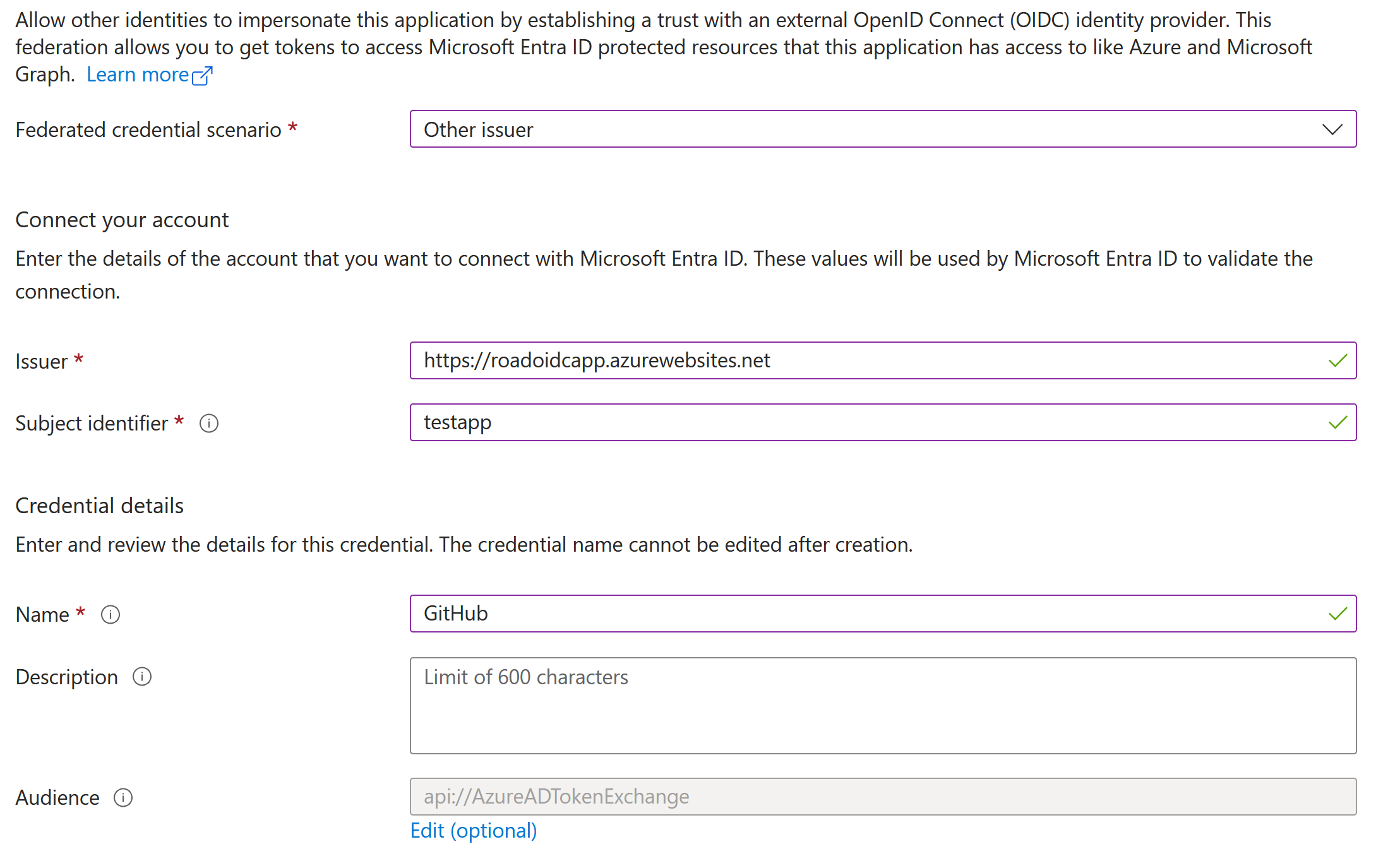
Using applications and service principals for persistence and privilege escalation is a well-known topic in Entra ID (Azure AD). I’ve written about these kind of attacks many years ago, and talked about how we can use certificates and application passwords to authenticate as applications and abuse the permissions they have. In this blog, we cover a third way of authenticating as an application: using federated credentials. Federated credentials have been around for a few years, but haven’t been covered much yet from the offensive side. For Entra ID applications, there is no large difference between configuring federated credentials or regular client secrets/certificates. The more interesting part on this topic is that we can also configure federated credentials on User Managed Identities in Azure. This is unusual, because normally Managed Identities have their authentication controlled by Microsoft, and their authentication is tied to a certain resource such as a Virtual Machine. With federated credentials, we can bypass that limitation, given that we have sufficient privileges, and authenticate as this managed identity without requiring access to another resource in Azure. With this blog I’m also introducing a new utility to the ROADtools family: roadoidc, which can set up a minimal Identity Provider (IdP), allowing us to authenticate using federated credentials as apps and user managed identities with roadtx.
Read More -

Learn how workload identify federation enables secure access to Microsoft Entra protected resources from external software workloads without managing secrets.
Read More
Related rules
- Entra ID Unusual Cloud Device Registration
- Entra ID Elevated Access to User Access Administrator
- Entra ID Global Administrator Role Assigned
- Entra ID MFA Disabled for User
- Entra ID Service Principal Federated Credential Authentication by Unusual Client