Entra ID External Authentication Methods (EAM) Modified
Identifies when an external authentication method (EAM) is added or modified in Entra ID. EAM may allow adversaries to bypass multi-factor authentication (MFA) requirements, potentially leading to unauthorized access to user accounts and sensitive resources by using bring-your-own IdP (BYOIDP) methods.
Elastic rule (View on GitHub)
 1[metadata]
 2creation_date = "2025/07/14"
 3integration = ["azure"]
 4maturity = "production"
 5updated_date = "2025/12/10"
 6
 7[rule]
 8author = ["Elastic"]
 9description = """
10Identifies when an external authentication method (EAM) is added or modified in Entra ID. EAM may allow adversaries to
11bypass multi-factor authentication (MFA) requirements, potentially leading to unauthorized access to user accounts and
12sensitive resources by using bring-your-own IdP (BYOIDP) methods.
13"""
14from = "now-9m"
15index = ["filebeat-*", "logs-azure.graphactivitylogs-*"]
16language = "kuery"
17license = "Elastic License v2"
18name = "Entra ID External Authentication Methods (EAM) Modified"
19note = """## Triage and analysis
20
21### Investigating Entra ID External Authentication Methods (EAM) Modified
22
23This rule detects suspicious modifications to external authentication methods (EAMs) in Microsoft Entra ID via Microsoft Graph API. Adversaries may abuse this capability to bypass multi-factor authentication (MFA), enabling persistence or unauthorized access through bring-your-own identity provider (BYOIDP) methods.
24
25### Possible investigation steps
26- Validate that `event.action` is `"Microsoft Graph Activity"` and that `http.request.method` is `"PATCH"`, indicating a configuration change was made.
27- Confirm that `url.path` contains the string `authenticationMethodsPolicy`, which is associated with external authentication settings in Entra ID.
28- Review `user.id` to identify the Azure AD object ID of the user or service principal that initiated the change.
29- Examine `azure.graphactivitylogs.properties.app_id` to determine the application ID that performed the action.
30- Analyze `azure.graphactivitylogs.properties.scopes[]` to assess whether the request used privileged scopes such as `AuthenticationMethod.ReadWrite.All`.
31- Review the geographic origin of the request using `source.geo.*` and the `source.ip` field to identify anomalous locations.
32- Examine `user_agent.original` to determine whether the request was made through a browser or automation (e.g., scripted activity).
33- Correlate `azure.graphactivitylogs.properties.token_issued_at` and `azure.graphactivitylogs.properties.time_generated` to assess whether the change occurred shortly after token issuance.
34- Investigate additional activity by the same `user.id` or `app_id` within a short timeframe (e.g., 30 minutes) to detect related suspicious behavior.
35- Use the `operation_id` or `correlation_id` to pivot across related Graph API or Entra ID activity logs, if available.
36
37### False positive analysis
38- Legitimate administrative activity may trigger this rule, such as configuring FIDO2 or enabling passwordless sign-in methods during onboarding or security upgrades.
39- Some enterprise integrations or federated identity providers may programmatically update EAM settings as part of legitimate operations.
40- Routine security assessments or red team exercises may include changes to authentication policies. Validate with internal teams when in doubt.
41- If appropriate, filter or suppress alerts originating from known trusted service principals or administrative accounts.
42
43### Response and remediation
44- Confirm whether the user or application that made the change was authorized to do so. If not, immediately revoke access and reset credentials as needed.
45- Review the application or automation that triggered the change to ensure it is legitimate. If unauthorized, disable or remove it and rotate secrets or tokens it may have accessed.
46- Audit current external authentication configurations and conditional access policies to ensure no persistent backdoors were introduced.
47- Revoke session tokens associated with the change using Entra ID's portal or Microsoft Graph API, and enforce reauthentication where appropriate.
48- Implement stricter RBAC or conditional access policies to prevent unauthorized EAM changes in the future.
49- Monitor for repeat or similar activity from the same source or identity as part of an ongoing compromise assessment.
50"""
51references = ["https://dirkjanm.io/persisting-with-federated-credentials-entra-apps-managed-identities/"]
52risk_score = 47
53rule_id = "42c97e6e-60c3-11f0-832a-f661ea17fbcd"
54severity = "medium"
55tags = [
56    "Domain: Cloud",
57    "Domain: Identity",
58    "Data Source: Azure",
59    "Data Source: Microsoft Graph",
60    "Data Source: Microsoft Graph Activity Logs",
61    "Use Case: Identity and Access Audit",
62    "Resources: Investigation Guide",
63    "Tactic: Persistence",
64]
65timestamp_override = "event.ingested"
66type = "new_terms"
67
68query = '''
69event.dataset: azure.graphactivitylogs and
70    url.path: *authenticationMethodsPolicy* and
71    http.request.method: "PATCH" and
72    http.response.status_code: 200
73'''
74
75
76[[rule.threat]]
77framework = "MITRE ATT&CK"
78[[rule.threat.technique]]
79id = "T1556"
80name = "Modify Authentication Process"
81reference = "https://attack.mitre.org/techniques/T1556/"
82[[rule.threat.technique.subtechnique]]
83id = "T1556.009"
84name = "Conditional Access Policies"
85reference = "https://attack.mitre.org/techniques/T1556/009/"
86
87
88
89[rule.threat.tactic]
90id = "TA0003"
91name = "Persistence"
92reference = "https://attack.mitre.org/tactics/TA0003/"
93
94[rule.new_terms]
95field = "new_terms_fields"
96value = ["azure.graphactivitylogs.properties.user_principal_object_id"]
97[[rule.new_terms.history_window_start]]
98field = "history_window_start"
99value = "now-7d"
Triage and analysis
Investigating Entra ID External Authentication Methods (EAM) Modified
This rule detects suspicious modifications to external authentication methods (EAMs) in Microsoft Entra ID via Microsoft Graph API. Adversaries may abuse this capability to bypass multi-factor authentication (MFA), enabling persistence or unauthorized access through bring-your-own identity provider (BYOIDP) methods.
Possible investigation steps
- Validate that
event.actionis"Microsoft Graph Activity"and thathttp.request.methodis"PATCH", indicating a configuration change was made. - Confirm that
url.pathcontains the stringauthenticationMethodsPolicy, which is associated with external authentication settings in Entra ID. - Review
user.idto identify the Azure AD object ID of the user or service principal that initiated the change. - Examine
azure.graphactivitylogs.properties.app_idto determine the application ID that performed the action. - Analyze
azure.graphactivitylogs.properties.scopes[]to assess whether the request used privileged scopes such asAuthenticationMethod.ReadWrite.All. - Review the geographic origin of the request using
source.geo.*and thesource.ipfield to identify anomalous locations. - Examine
user_agent.originalto determine whether the request was made through a browser or automation (e.g., scripted activity). - Correlate
azure.graphactivitylogs.properties.token_issued_atandazure.graphactivitylogs.properties.time_generatedto assess whether the change occurred shortly after token issuance. - Investigate additional activity by the same
user.idorapp_idwithin a short timeframe (e.g., 30 minutes) to detect related suspicious behavior. - Use the
operation_idorcorrelation_idto pivot across related Graph API or Entra ID activity logs, if available.
False positive analysis
- Legitimate administrative activity may trigger this rule, such as configuring FIDO2 or enabling passwordless sign-in methods during onboarding or security upgrades.
- Some enterprise integrations or federated identity providers may programmatically update EAM settings as part of legitimate operations.
- Routine security assessments or red team exercises may include changes to authentication policies. Validate with internal teams when in doubt.
- If appropriate, filter or suppress alerts originating from known trusted service principals or administrative accounts.
Response and remediation
- Confirm whether the user or application that made the change was authorized to do so. If not, immediately revoke access and reset credentials as needed.
- Review the application or automation that triggered the change to ensure it is legitimate. If unauthorized, disable or remove it and rotate secrets or tokens it may have accessed.
- Audit current external authentication configurations and conditional access policies to ensure no persistent backdoors were introduced.
- Revoke session tokens associated with the change using Entra ID's portal or Microsoft Graph API, and enforce reauthentication where appropriate.
- Implement stricter RBAC or conditional access policies to prevent unauthorized EAM changes in the future.
- Monitor for repeat or similar activity from the same source or identity as part of an ongoing compromise assessment.
References
-
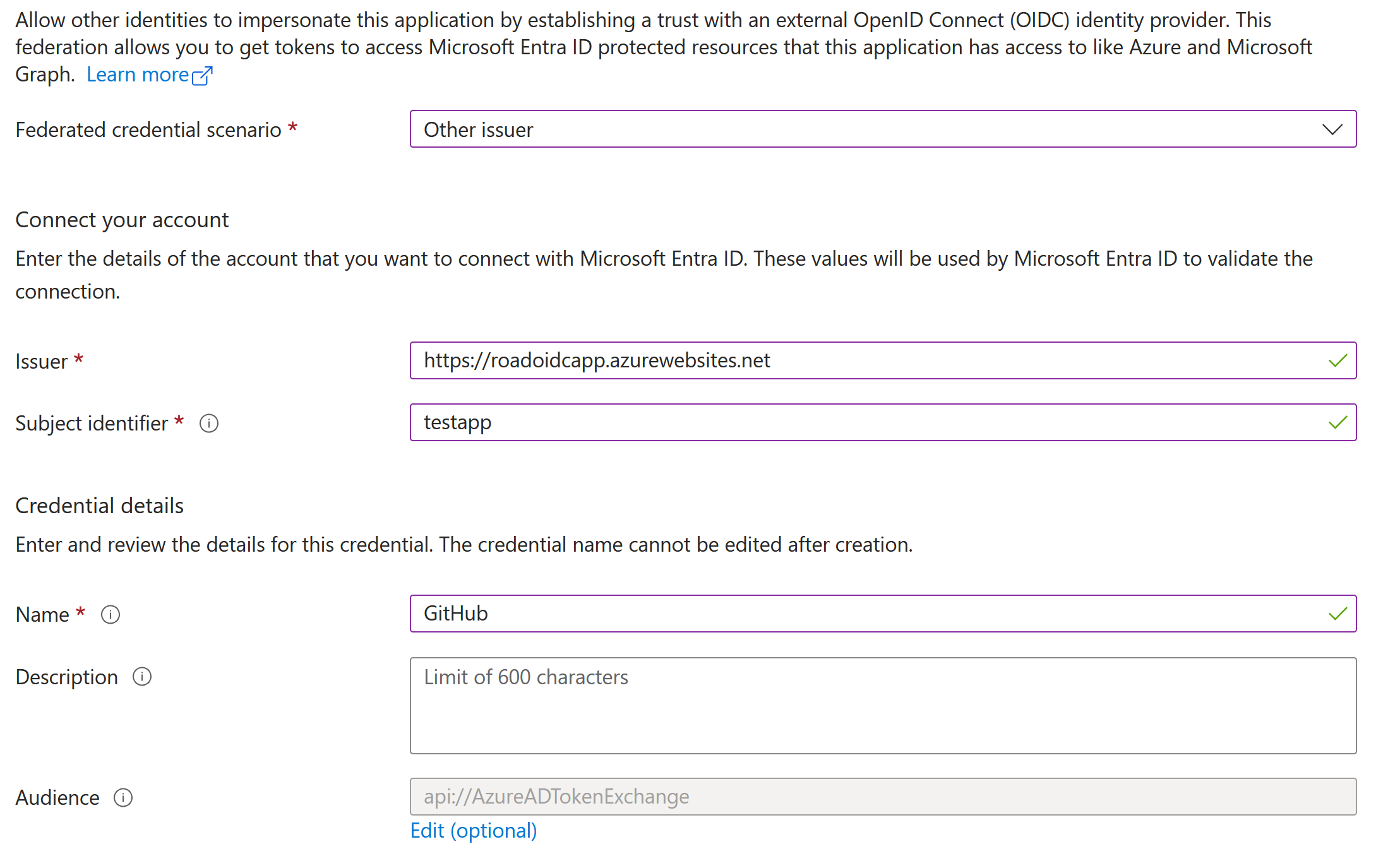
Using applications and service principals for persistence and privilege escalation is a well-known topic in Entra ID (Azure AD). I’ve written about these kind of attacks many years ago, and talked about how we can use certificates and application passwords to authenticate as applications and abuse the permissions they have. In this blog, we cover a third way of authenticating as an application: using federated credentials. Federated credentials have been around for a few years, but haven’t been covered much yet from the offensive side. For Entra ID applications, there is no large difference between configuring federated credentials or regular client secrets/certificates. The more interesting part on this topic is that we can also configure federated credentials on User Managed Identities in Azure. This is unusual, because normally Managed Identities have their authentication controlled by Microsoft, and their authentication is tied to a certain resource such as a Virtual Machine. With federated credentials, we can bypass that limitation, given that we have sufficient privileges, and authenticate as this managed identity without requiring access to another resource in Azure. With this blog I’m also introducing a new utility to the ROADtools family: roadoidc, which can set up a minimal Identity Provider (IdP), allowing us to authenticate using federated credentials as apps and user managed identities with roadtx.
Read More
Related rules
- Entra ID ADRS Token Request by Microsoft Authentication Broker
- Entra ID Global Administrator Role Assigned
- Entra ID MFA Disabled for User
- Azure Automation Account Created
- Azure Key Vault Excessive Secret or Key Retrieved