AWS Control Plane Access by Suspicious Process
Identifies a process running from a temporary or user-writable directory, or a script interpreter executing a payload from such a directory, followed by a network connection to an AWS identity, secrets, or management control plane endpoint. This detects credential abuse performed through an AWS SDK such as boto3, aws-sdk-js, or the Go SDK rather than through the aws command line binary. Rules that key on the CLI process name are bypassed entirely by SDK based tooling, which is what most post exploitation malware and supply chain stealers actually use, so this rule is intended as the name independent complement to them.
Elastic rule (View on GitHub)
  1[metadata]
  2creation_date = "2026/09/14"
  3integration = ["endpoint"]
  4maturity = "production"
  5updated_date = "2026/10/06"
  6min_stack_version = "9.3.0"
  7min_stack_comments = "Linux DNS events on Elastic Defend require 9.3.0"
  8[rule]
  9author = ["Elastic"]
 10description = """
 11Identifies a process running from a temporary or user-writable directory, or a script interpreter executing a payload
 12from such a directory, followed by a network connection to an AWS identity, secrets, or management control plane
 13endpoint. This detects credential abuse performed through an AWS SDK such as boto3, aws-sdk-js, or the Go SDK rather
 14than through the aws command line binary. Rules that key on the CLI process name are bypassed entirely by SDK based
 15tooling, which is what most post exploitation malware and supply chain stealers actually use, so this rule is intended
 16as the name independent complement to them.
 17"""
 18false_positives = [
 19    """
 20    Build systems and CI runners frequently compile or download binaries into temporary directories and then make
 21    AWS API calls as part of integration tests. Exclude known runner paths and restrict to interactive or
 22    production hosts if alert volume is high.
 23    """,
 24]
 25from = "now-9m"
 26index = ["logs-endpoint.events.network-*"]
 27language = "kuery"
 28license = "Elastic License v2"
 29name = "AWS Control Plane Access by Suspicious Process"
 30references = [
 31    "https://thehackernews.com/2024/11/malicious-pypi-package-fabrice-found.html",
 32    "https://www.sentinelone.com/labs/cloudy-with-a-chance-of-credentials-aws-targeting-cred-stealer-expands-to-azure-gcp/",
 33    "https://www.sysdig.com/blog/ai-assisted-cloud-intrusion-achieves-admin-access-in-8-minutes",
 34    "https://unit42.paloaltonetworks.com/teamtnt-operations-cloud-environments/",
 35    "https://www.sysdig.com/blog/cloud-breach-terraform-data-theft",
 36]
 37note = """## Triage and analysis
 38
 39### Investigating AWS Control Plane Access by Suspicious Process
 40
 41This rule detects a process running from a temporary or user-writable directory, or a script interpreter executing a payload from such a path, followed by a DNS lookup for an AWS identity or secrets management endpoint. This pattern is characteristic of SDK-based credential theft and post-exploitation tooling that bypasses CLI-name-based rules by calling the AWS API directly via boto3, aws-sdk-js, or similar libraries.
 42
 43### Possible investigation steps
 44
 45- Examine the process executable path and command line to determine if it is a known tool or malicious payload.
 46- Identify the parent process to understand how the suspicious process was spawned.
 47- Review the DNS queries and network connections made by the process to determine which AWS control plane services were contacted.
 48- Query AWS CloudTrail for API calls made around the same time from the host's source IP to identify what actions were taken with any obtained credentials.
 49- Check for lateral movement or persistence artifacts on the affected host.
 50
 51### False positive analysis
 52
 53- Build and CI systems that compile binaries into /tmp or run integration tests that make real AWS API calls will trigger this rule. Exclude known runner paths via `process.executable` exceptions in the rule or as exceptions.
 54- Development environments where engineers routinely run scripts from temporary directories against AWS may generate benign alerts.
 55
 56### Response and remediation
 57
 58- Initiate the incident response process based on the outcome of the triage.
 59- Isolate the affected host to prevent further post-compromise activity.
 60- Revoke and rotate any AWS credentials that may have been accessed or harvested by the process.
 61- Review CloudTrail logs for API actions performed using the compromised credentials and assess the blast radius.
 62- Scan the host for additional malicious scripts or payloads in user-writable directories.
 63"""
 64risk_score = 47
 65rule_id = "ffba7c69-13b3-4b6d-a747-2947e73c967c"
 66setup = """## Setup
 67
 68This rule requires data coming in from Elastic Defend.
 69
 70### Elastic Defend Integration Setup
 71Elastic Defend is integrated into the Elastic Agent using Fleet. Upon configuration, the integration allows the
 72Elastic Agent to monitor events on your host and send data to the Elastic Security app.
 73
 74#### Prerequisite Requirements:
 75- Fleet is required for Elastic Defend.
 76- To configure Fleet Server refer to the [documentation](https://www.elastic.co/guide/en/fleet/current/fleet-server.html).
 77
 78#### The following steps should be executed in order to add the Elastic Defend integration:
 79- Go to the Kibana home page and click "Add integrations".
 80- In the query bar, search for "Elastic Defend" and select the integration to see more details about it.
 81- Click "Add Elastic Defend".
 82- Configure the integration name and optionally add a description.
 83- Select the type of environment you want to protect, either "Traditional Endpoints" or "Cloud Workloads".
 84- Enter a name for the agent policy in "New agent policy name". If other agent policies already exist, you can
 85  click the "Existing hosts" tab and select an existing policy instead.
 86- Click "Save and Continue".
 87- To complete the integration, select "Add Elastic Agent to your hosts" and install Elastic Agent on your hosts.
 88For more details on Elastic Defend refer to the [helper guide](https://www.elastic.co/guide/en/security/current/install-endpoint.html).
 89"""
 90severity = "medium"
 91tags = [
 92    "Domain: Endpoint",
 93    "Domain: Cloud",
 94    "Platform: AWS",
 95    "Platform: Linux",
 96    "Platform: macOS",
 97    "Platform: Windows",
 98    "OS: Linux",
 99    "OS: macOS",
100    "OS: Windows",
101    "Service: AWS IAM",
102    "Service: AWS STS",
103    "Service: AWS SSM",
104    "Service: AWS Secrets Manager",
105    "Service: AWS KMS",
106    "Service: AWS Bedrock",
107    "Tactic: Discovery",
108    "Data Source: Elastic Defend",
109    "Rule Type: New Terms",
110    "Resources: Investigation Guide",
111]
112timestamp_override = "event.ingested"
113type = "new_terms"
114
115query = '''
116event.category : network and host.os.type : (linux or macos or windows) and
117dns.question.name : (
118  iam.amazonaws.com or sts.amazonaws.com or bedrock*.amazonaws.com or kms.*.amazonaws.com or organizations.*.amazonaws.com or
119  portal.sso.*.amazonaws.com or secretsmanager.*.amazonaws.com or ssm.*.amazonaws.com or sso.*.amazonaws.com or
120  sts.*.amazonaws.com
121) and
122process.executable : (
123  (
124    *\\ProgramData\\* or *\\Users\\*\\AppData\\Local\\Temp\\* or *\\Users\\Public\\* or *\\Windows\\Temp\\* or
125    /Users/*/Public/* or /Users/Shared/* or /dev/shm/* or /private/tmp/* or /run/* or /tmp/* or /var/run/* or
126    /var/tmp/* or /var/www/*
127  ) and
128  not (/opt/actions-runner/* or /tmp/cargo-install* or /tmp/go-build* or /tmp/pytest-*)
129) and
130not (
131  process.name: "MsSense.exe" and
132  process.code_signature.subject_name : "Microsoft Windows Publisher" and process.code_signature.trusted : true
133)
134'''
135
136[[rule.threat]]
137framework = "MITRE ATT&CK"
138
139[[rule.threat.technique]]
140id = "T1526"
141name = "Cloud Service Discovery"
142reference = "https://attack.mitre.org/techniques/T1526/"
143
144[[rule.threat.technique]]
145id = "T1580"
146name = "Cloud Infrastructure Discovery"
147reference = "https://attack.mitre.org/techniques/T1580/"
148
149[rule.threat.tactic]
150id = "TA0007"
151name = "Discovery"
152reference = "https://attack.mitre.org/tactics/TA0007/"
153
154[rule.new_terms]
155field = "new_terms_fields"
156value = ["host.id", "process.executable"]
157[[rule.new_terms.history_window_start]]
158field = "history_window_start"
159value = "now-5d"
Triage and analysis
Investigating AWS Control Plane Access by Suspicious Process
This rule detects a process running from a temporary or user-writable directory, or a script interpreter executing a payload from such a path, followed by a DNS lookup for an AWS identity or secrets management endpoint. This pattern is characteristic of SDK-based credential theft and post-exploitation tooling that bypasses CLI-name-based rules by calling the AWS API directly via boto3, aws-sdk-js, or similar libraries.
Possible investigation steps
- Examine the process executable path and command line to determine if it is a known tool or malicious payload.
- Identify the parent process to understand how the suspicious process was spawned.
- Review the DNS queries and network connections made by the process to determine which AWS control plane services were contacted.
- Query AWS CloudTrail for API calls made around the same time from the host's source IP to identify what actions were taken with any obtained credentials.
- Check for lateral movement or persistence artifacts on the affected host.
False positive analysis
- Build and CI systems that compile binaries into /tmp or run integration tests that make real AWS API calls will trigger this rule. Exclude known runner paths via
process.executableexceptions in the rule or as exceptions. - Development environments where engineers routinely run scripts from temporary directories against AWS may generate benign alerts.
Response and remediation
- Initiate the incident response process based on the outcome of the triage.
- Isolate the affected host to prevent further post-compromise activity.
- Revoke and rotate any AWS credentials that may have been accessed or harvested by the process.
- Review CloudTrail logs for API actions performed using the compromised credentials and assess the blast radius.
- Scan the host for additional malicious scripts or payloads in user-writable directories.
References
-

Malicious PyPI package ‘fabrice’ has exfiltrated AWS credentials from thousands of users undetected for three years.
Read More -
Cloudy With a Chance of Credentials | AWS-Targeting Cred Stealer Expands to Azure, GCP | SentinelOne
Cloud credentials stealing campaign expands to target Azure and Google Cloud via unpatched web app vulnerabilities.
Read More -
Sysdig TRT details a lightning-fast AWS attack where an AI-assisted threat actor gained admin access in under 10 minutes, abusing Lambda, IAM, Bedrock, and GPU instances.
Read More -

TeamTNT operations are targeting the credentials of 16 additional applications for the purpose of enumerating cloud environments and infiltrating organizations.
Read More -
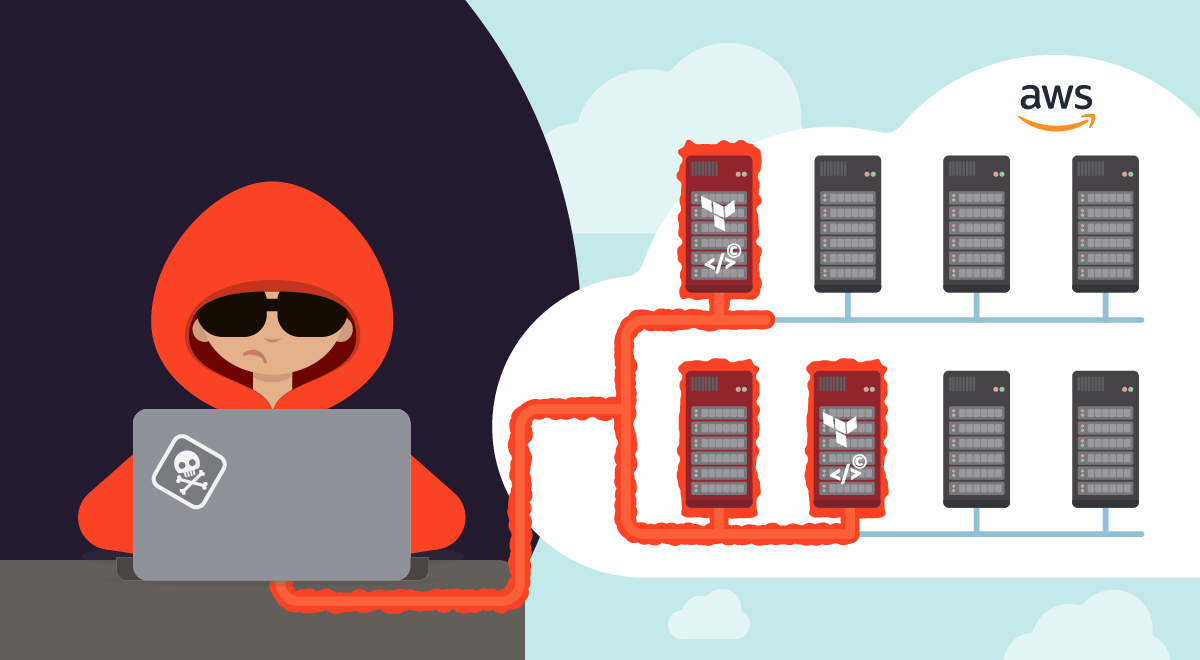
The Sysdig Threat Research Team recently discovered a sophisticated cloud operation in a customer environment, dubbed SCARLETEEL.
Read More
Related rules
- Potential Third-Party Cloud Storage Client Execution
- Suspicious Instance Metadata Service (IMDS) API Request
- AWS Audit or Security Service Tampering via CLI
- AWS SSM `SendCommand` with Run Shell Command Parameters
- Potential Tunneling via AWS IoT Secure Tunneling Localproxy