Privileged Container Creation with Host Directory Mount
This rule detects the creation of privileged containers that mount host directories into the container's filesystem. Such configurations can be exploited by attackers to escape the container isolation and gain access to the host system, potentially leading to privilege escalation and lateral movement within the environment.
Elastic rule (View on GitHub)
  1[metadata]
  2creation_date = "2025/11/27"
  3integration = ["endpoint", "auditd_manager", "crowdstrike", "sentinel_one_cloud_funnel"]
  4maturity = "production"
  5updated_date = "2025/11/27"
  6
  7[rule]
  8author = ["Elastic"]
  9description = """
 10This rule detects the creation of privileged containers that mount host directories into the container's filesystem.
 11Such configurations can be exploited by attackers to escape the container isolation and gain access to the host system,
 12potentially leading to privilege escalation and lateral movement within the environment.
 13"""
 14from = "now-9m"
 15index = [
 16    "auditbeat-*",
 17    "endgame-*",
 18    "logs-auditd_manager.auditd-*",
 19    "logs-crowdstrike.fdr*",
 20    "logs-endpoint.events.process*",
 21    "logs-sentinel_one_cloud_funnel.*",
 22]
 23language = "eql"
 24license = "Elastic License v2"
 25name = "Privileged Container Creation with Host Directory Mount"
 26note = """## Triage and analysis
 27
 28> **Disclaimer**:
 29> This investigation guide was created using generative AI technology and has been reviewed to improve its accuracy and relevance. While every effort has been made to ensure its quality, we recommend validating the content and adapting it to suit your specific environment and operational needs.
 30
 31### Investigating Privileged Container Creation with Host Directory Mount
 32
 33This rule flags creation of a privileged container that bind-mounts host directories into the container filesystem, breaking isolation and granting direct access to host files and devices. An attacker on a compromised node starts a privileged container via the runtime, bind-mounts the host root (/:) inside it, then chroots and alters critical files or services to seize host control, persist, and pivot.
 34
 35### Possible investigation steps
 36
 37- Retrieve the full process tree and execution context (user, controlling TTY, parent, remote source IP) to identify who initiated the container and whether it aligns with a sanctioned change.
 38- Run runtime introspection to confirm the container’s mounts and privileges (e.g., docker ps/inspect or CRI equivalents), capturing the container ID, exact hostPath mappings, image, entrypoint, and start time.
 39- If orchestrated, correlate with Kubernetes events and kubelet logs at the same timestamp to find any Pod using privileged: true with hostPath volumes, recording the namespace, service account, controller, and requestor.
 40- Review audit and file integrity telemetry after container start for host-impacting actions such as chroot into the mount, nsenter into host namespaces, or writes to critical paths (/etc/passwd, /etc/sudoers, /root/.ssh, /var/lib/kubelet, and systemd unit directories).
 41- Assess image provenance and intent by resolving the image digest and registry, reviewing history/entrypoint for post-start tooling, and validating with service owners or allowlists whether this privileged host-mount is expected on this node.
 42
 43### False positive analysis
 44
 45- An administrator uses docker run --privileged with -v /:/host during a break-glass or troubleshooting session to edit host files or restart services, matching the pattern but aligned with an approved maintenance procedure.
 46- Automated provisioning or upgrade workflows intentionally start a privileged container that bind-mounts / to apply system configuration, install packages, or manage kernel modules during node bootstrap, producing an expected event.
 47
 48### Response and remediation
 49
 50- Immediately stop and remove the privileged container by its ID using docker, cordon the node to prevent scheduling, and temporarily disable the Docker/CRI socket to block further privileged runs.
 51- Preserve forensic artifacts (docker inspect output, container image and filesystem, bash history, /var/log) and remediate by diffing and restoring critical paths (/etc, /root/.ssh, /etc/systemd/system, /var/lib/kubelet), removing rogue users, SSH keys, and systemd units.
 52- Rotate credentials potentially exposed by the host mount (SSH keys, kubelet certs, cloud tokens under /var/lib/kubelet or /root), patch the container runtime, and uncordon or rejoin the node only after verifying privileged runs and host-root mounts are blocked.
 53- Escalate to incident response if the mount included "/" or if evidence shows chroot or nsenter into host namespaces or writes to /etc/passwd, /etc/sudoers, or systemd unit files, and initiate host reimage and broader fleet scoping.
 54- Enforce controls that deny --privileged and hostPath of "/" via admission policy (Pod Security Standards, Kyverno, OPA Gatekeeper), drop CAP_SYS_ADMIN with seccomp/AppArmor, enable Docker userns-remap and no-new-privileges, and restrict membership in the docker group.
 55- Establish a break-glass approval workflow and an allowlist for legitimate host mounts, enable file integrity monitoring on /etc and kubelet directories, and add runtime rules to alert and block future docker run -v /:/host attempts."""
 56references = [
 57    "https://www.elastic.co/blog/shai-hulud-worm-npm-supply-chain-compromise",
 58    "https://socket.dev/blog/shai-hulud-strikes-again-v2",
 59    "https://www.wiz.io/blog/shai-hulud-2-0-ongoing-supply-chain-attack",
 60    "https://unit42.paloaltonetworks.com/container-escape-techniques/",
 61]
 62risk_score = 73
 63rule_id = "d1f310cb-5921-4d37-bbdf-cfdab7a6df9c"
 64setup = """## Setup
 65This rule requires data coming in from Elastic Defend.
 66### Elastic Defend Integration Setup
 67Elastic Defend is integrated into the Elastic Agent using Fleet. Upon configuration, the integration allows the Elastic Agent to monitor events on your host and send data to the Elastic Security app.
 68#### Prerequisite Requirements:
 69- Fleet is required for Elastic Defend.
 70- To configure Fleet Server refer to the [documentation](https://www.elastic.co/guide/en/fleet/current/fleet-server.html).
 71#### The following steps should be executed in order to add the Elastic Defend integration on a Linux System:
 72- Go to the Kibana home page and click "Add integrations".
 73- In the query bar, search for "Elastic Defend" and select the integration to see more details about it.
 74- Click "Add Elastic Defend".
 75- Configure the integration name and optionally add a description.
 76- Select the type of environment you want to protect, either "Traditional Endpoints" or "Cloud Workloads".
 77- Select a configuration preset. Each preset comes with different default settings for Elastic Agent, you can further customize these later by configuring the Elastic Defend integration policy. [Helper guide](https://www.elastic.co/guide/en/security/current/configure-endpoint-integration-policy.html).
 78- We suggest selecting "Complete EDR (Endpoint Detection and Response)" as a configuration setting, that provides "All events; all preventions"
 79- Enter a name for the agent policy in "New agent policy name". If other agent policies already exist, you can click the "Existing hosts" tab and select an existing policy instead.
 80For more details on Elastic Agent configuration settings, refer to the [helper guide](https://www.elastic.co/guide/en/fleet/8.10/agent-policy.html).
 81- Click "Save and Continue".
 82- To complete the integration, select "Add Elastic Agent to your hosts" and continue to the next section to install the Elastic Agent on your hosts.
 83For more details on Elastic Defend refer to the [helper guide](https://www.elastic.co/guide/en/security/current/install-endpoint.html).
 84"""
 85severity = "high"
 86tags = [
 87    "Domain: Endpoint",
 88    "Domain: Container",
 89    "OS: Linux",
 90    "OS: macOS",
 91    "Use Case: Threat Detection",
 92    "Tactic: Execution",
 93    "Data Source: Elastic Defend",
 94    "Data Source: Elastic Endgame",
 95    "Data Source: Auditd Manager",
 96    "Data Source: Crowdstrike",
 97    "Data Source: SentinelOne",
 98    "Resources: Investigation Guide",
 99]
100timestamp_override = "event.ingested"
101type = "eql"
102query = '''
103process where event.type == "start" and event.action in ("exec", "exec_event", "start", "ProcessRollup2", "executed", "process_started") and
104process.name == "docker" and process.args == "--privileged" and process.args == "run" and
105process.args == "-v" and process.args like "/:/*" and
106not (
107  (process.args == "aktosecurity/mirror-api-logging:k8s_ebpf" and process.args == "akto-api-security-traffic-collector") or
108  (process.args like "goharbor/prepare:*" and process.args in ("/:/hostfs", "/:/hostfs/"))
109)
110'''
111
112[[rule.threat]]
113framework = "MITRE ATT&CK"
114
115[[rule.threat.technique]]
116id = "T1059"
117name = "Command and Scripting Interpreter"
118reference = "https://attack.mitre.org/techniques/T1059/"
119
120[[rule.threat.technique.subtechnique]]
121id = "T1059.004"
122name = "Unix Shell"
123reference = "https://attack.mitre.org/techniques/T1059/004/"
124
125[[rule.threat.technique]]
126id = "T1609"
127name = "Container Administration Command"
128reference = "https://attack.mitre.org/techniques/T1609/"
129
130[rule.threat.tactic]
131id = "TA0002"
132name = "Execution"
133reference = "https://attack.mitre.org/tactics/TA0002/"
134
135[[rule.threat]]
136framework = "MITRE ATT&CK"
137
138[[rule.threat.technique]]
139id = "T1611"
140name = "Escape to Host"
141reference = "https://attack.mitre.org/techniques/T1611/"
142
143[rule.threat.tactic]
144id = "TA0004"
145name = "Privilege Escalation"
146reference = "https://attack.mitre.org/tactics/TA0004/"
Triage and analysis
Disclaimer: This investigation guide was created using generative AI technology and has been reviewed to improve its accuracy and relevance. While every effort has been made to ensure its quality, we recommend validating the content and adapting it to suit your specific environment and operational needs.
Investigating Privileged Container Creation with Host Directory Mount
This rule flags creation of a privileged container that bind-mounts host directories into the container filesystem, breaking isolation and granting direct access to host files and devices. An attacker on a compromised node starts a privileged container via the runtime, bind-mounts the host root (/:) inside it, then chroots and alters critical files or services to seize host control, persist, and pivot.
Possible investigation steps
- Retrieve the full process tree and execution context (user, controlling TTY, parent, remote source IP) to identify who initiated the container and whether it aligns with a sanctioned change.
- Run runtime introspection to confirm the container’s mounts and privileges (e.g., docker ps/inspect or CRI equivalents), capturing the container ID, exact hostPath mappings, image, entrypoint, and start time.
- If orchestrated, correlate with Kubernetes events and kubelet logs at the same timestamp to find any Pod using privileged: true with hostPath volumes, recording the namespace, service account, controller, and requestor.
- Review audit and file integrity telemetry after container start for host-impacting actions such as chroot into the mount, nsenter into host namespaces, or writes to critical paths (/etc/passwd, /etc/sudoers, /root/.ssh, /var/lib/kubelet, and systemd unit directories).
- Assess image provenance and intent by resolving the image digest and registry, reviewing history/entrypoint for post-start tooling, and validating with service owners or allowlists whether this privileged host-mount is expected on this node.
False positive analysis
- An administrator uses docker run --privileged with -v /:/host during a break-glass or troubleshooting session to edit host files or restart services, matching the pattern but aligned with an approved maintenance procedure.
- Automated provisioning or upgrade workflows intentionally start a privileged container that bind-mounts / to apply system configuration, install packages, or manage kernel modules during node bootstrap, producing an expected event.
Response and remediation
- Immediately stop and remove the privileged container by its ID using docker, cordon the node to prevent scheduling, and temporarily disable the Docker/CRI socket to block further privileged runs.
- Preserve forensic artifacts (docker inspect output, container image and filesystem, bash history, /var/log) and remediate by diffing and restoring critical paths (/etc, /root/.ssh, /etc/systemd/system, /var/lib/kubelet), removing rogue users, SSH keys, and systemd units.
- Rotate credentials potentially exposed by the host mount (SSH keys, kubelet certs, cloud tokens under /var/lib/kubelet or /root), patch the container runtime, and uncordon or rejoin the node only after verifying privileged runs and host-root mounts are blocked.
- Escalate to incident response if the mount included "/" or if evidence shows chroot or nsenter into host namespaces or writes to /etc/passwd, /etc/sudoers, or systemd unit files, and initiate host reimage and broader fleet scoping.
- Enforce controls that deny --privileged and hostPath of "/" via admission policy (Pod Security Standards, Kyverno, OPA Gatekeeper), drop CAP_SYS_ADMIN with seccomp/AppArmor, enable Docker userns-remap and no-new-privileges, and restrict membership in the docker group.
- Establish a break-glass approval workflow and an allowlist for legitimate host mounts, enable file integrity monitoring on /etc and kubelet directories, and add runtime rules to alert and block future docker run -v /:/host attempts.
References
-

Certain npm packages were infected with self-replicating malware known as the "Shai-Hulud” worm. At this time, Elastic has found no evidence of compromise within Elastic’s software environment. Learn ...
Read More -
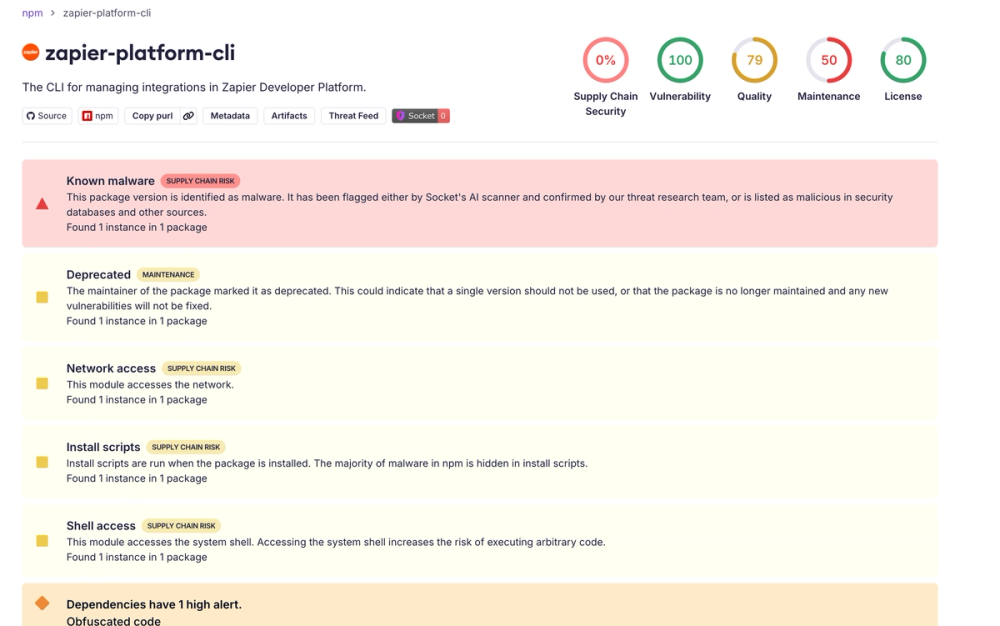
Another wave of Shai-Hulud campaign has hit npm with more than 500 packages and 700+ versions affected.
Read More -
Shai-Hulud is back, spreading an npm malware worm through thousands of GitHub repos. Learn the impact, attacker methods, and how to defend your supply chain.
Read More -

Unit 42 researchers test container escape methods and possible impacts within a Kubernetes cluster using a containerd container runtime.
Read More
Related rules
- Potential Git CVE-2025-48384 Exploitation
- File Transfer or Listener Established via Netcat
- Potential Linux Hack Tool Launched
- Potential CVE-2025-32463 Sudo Chroot Execution Attempt
- Cupsd or Foomatic-rip Shell Execution